Yet another architectural update for Play Kid
My Game Boy emulator gets yet another architectural update to drop the pixels dependency. This is the final one. I promise, maybe.
I finished my previous post on Play Kid, only two days ago, with the following words:
Next, I’ll probably think about adding Game Boy Color support, but not before taking some time off from this project.
Yeah, this was a lie.
I have previously written about Play Kid, my Game Boy emulator. Here, I introduced it and talked about the base implementation and the quirks of the Game Boy CPU, PPU, and hardware in general. Here, I explained the tech stack update from SDL2 to Rust-native libraries. In that last post, I mentioned the dependency version hell I unwillingly descended into as a result of adopting pixels as my rendering library. This forced me to stay on very old versions of wgpu and egui.
I want my Game Boy emulator to use the latest crate versions for various reasons, so this could not be. I saw a simple and direct path of update, which consisted on adopting eframe to manage the application life cycle, directly drawing the LCD to a texture, and dropping pixels altogether.
One of the things that nagged me about the pixels crate is that its integration with egui was kind of lackluster. There was no easy way to render the pixels frame buffer to an egui panel, so I had to render it centered inside the window. The immediate mode GUI lived in mostly in Window widgets on top of it. Unfortunately, these windows occluded the Game Boy LCD. In a proper debugger, you must be able to see the entire LCD plus the debug interface.
So I dropped pixels and adopted a render-to-texture approach. In it, you create the LCD texture at the beginning from the egui context, and then copy the LCD contents to it in the update() method.
  fn new(...) -> Self {
    [...]
    // Create texture from egui context and Game Boy LCD width and height.
    let texture = _cc.egui_ctx.load_texture(
        "lcd_screen",
        egui::ColorImage::new(
            [DISPLAY_WIDTH, DISPLAY_HEIGHT],
            vec![egui::Color32::BLACK; DISPLAY_WIDTH * DISPLAY_HEIGHT],
        ),
        egui::TextureOptions::NEAREST,
    );
    // Create app struct.
    Self {...}
  }

  [...]

  fn update(...) {
    [...]

    // Render LCD to texture.
    if frame_ready {
        let size = [DISPLAY_WIDTH, DISPLAY_HEIGHT];
        let color_image =
            egui::ColorImage::from_rgba_unmultiplied(size, &machine.memory.ppu.fb_front);
        self.screen_texture
            .set(color_image, egui::TextureOptions::NEAREST);
    }
  }
With this, we can easily render the texture in egui’s CentralPanel, and the debug interface in a SidePanel to the right. This is the result:
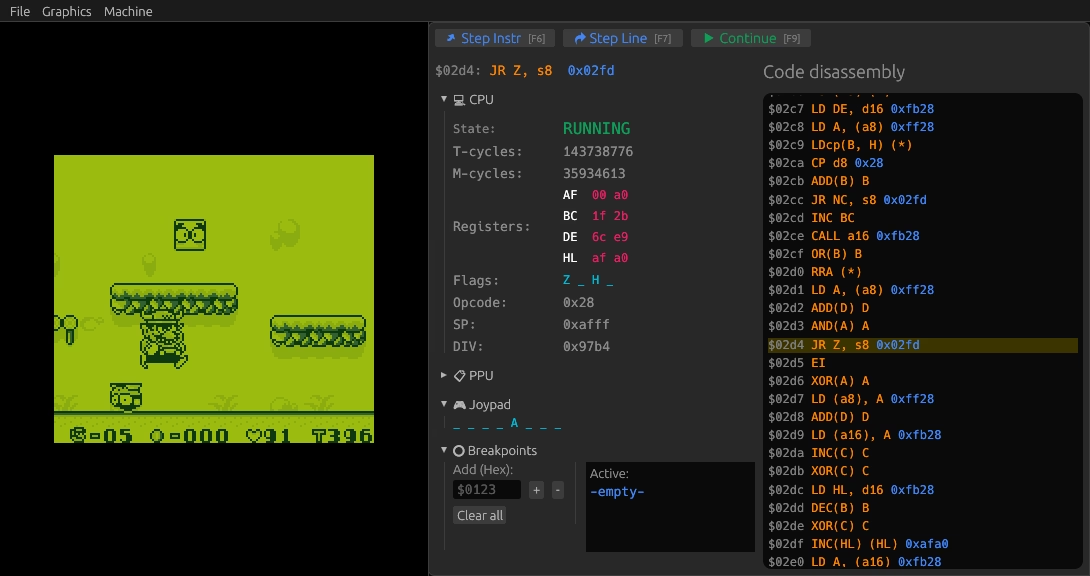
The debug panel, showing the machine state and a code disassembly.
Some additional tweaks here and there, and the UI looks much more polished and professional in version 0.3.0.
Version 0.4.0 enables loading ROM files from the UI. Initially I thought about making the cartridge struct optional with Option<Cartridge>, but this spiraled out of control fast. I found that making the full Machine (which contains the Memory, PPU, APU, Joystick, etc.) optional worked much better, as there was only one reference to it in the top-level struct, PlayKid. And, like so, you can dynamically load ROM files from the UI:
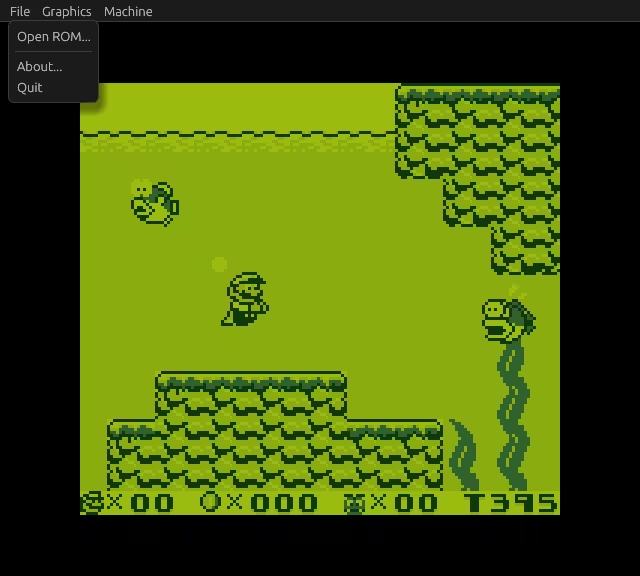
Play Kid with the top menu bar and the ‘Open ROM’ menu entry.
So, what’s in the future for Play Kid? Well, there are a couple of features that I’d really like to add at some point:
- Save states—Currently, Play Kid emulates the SRAM by saving and restoring it from files for supported games. I would like to add saving and restoring the full state of the emulator in what is known as save states. Possibly, the
serdecrate can help with this. - GBC—Of course, I would like adding Game Boy Color support. It is not trivial, but also not exceedingly complicated. I never owned a GBC, so I’d see this as a good opportunity to explore its game catalog.