Volumetric galaxy rendering
Improving the Milky Way visuals in Gaia Sky: particles to volume
The Milky Way is an essential component in any 3D Universe software. Rendering a realistic (i.e. science-based) and visually appealing galaxy is paramount to the user experience, and to the cohesion of the simulated universe as a whole. Galaxies are made of gas and dust clouds, so they are volumetric in nature. In Gaia Sky we have been using particle-based representations for a long time, even though we have had the volumetric rendering infrastructure in place also for a while. This post describes the rendering technique we use in Gaia Sky 3.9.0 to render the volumetric Milky Way, and how we have constructed the dataset that enables it. Interested? Keep reading.
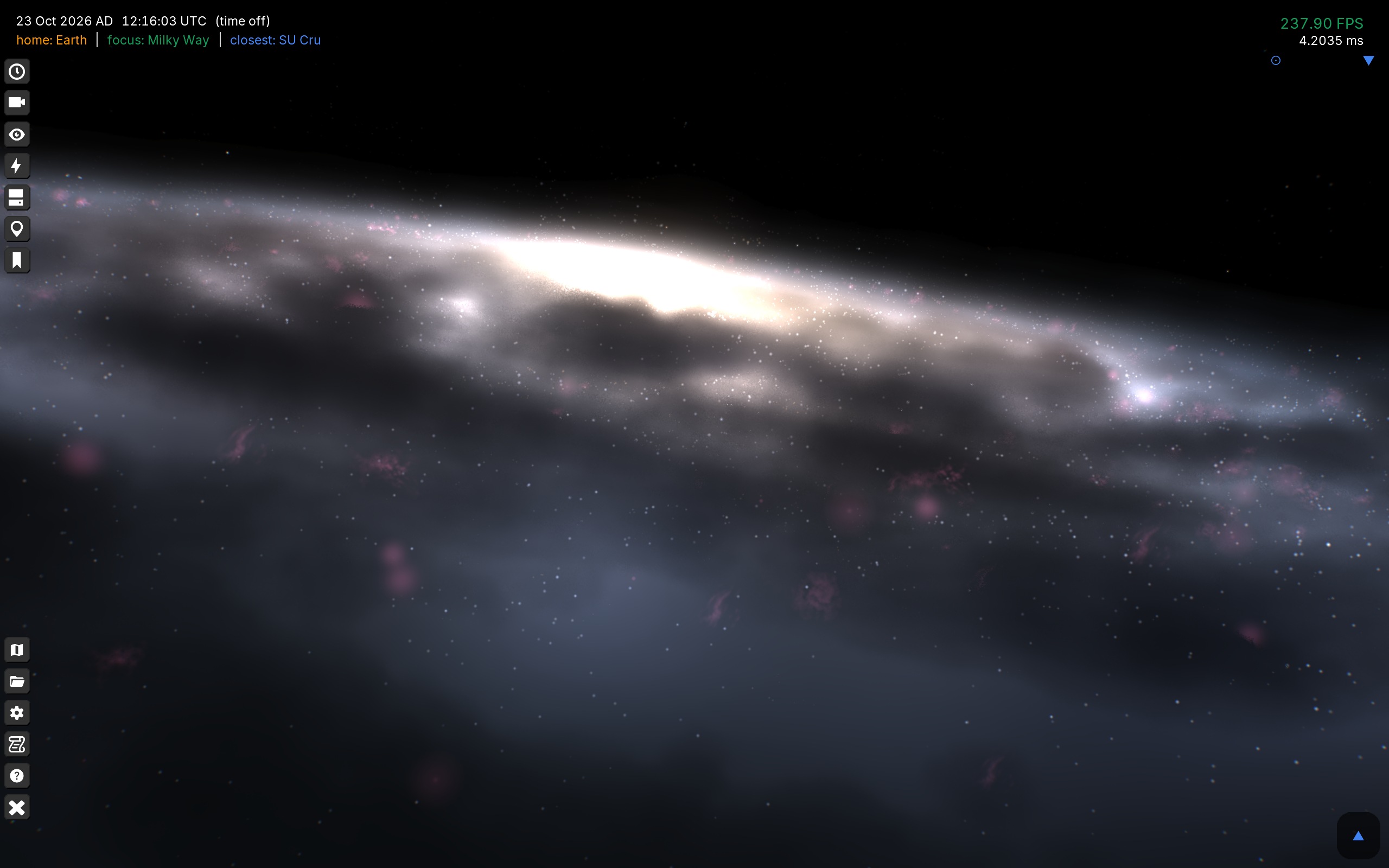
The Milky Way galaxy in Gaia Sky
A little bit of history
The rendering of our and other galaxies has always been a topic I dreaded. I never felt that the solutions we found were good enough. I always knew that the right way to do it was with volume rendering, but the main issue was that we did not have the volumetric data.
So, for a long time, we have used approximations to render the Milky Way, some more gracious than others.
Enhanced flat image — Initially, we used a single two-faced billboard with the artist’s impression by Nick Risinger, coupled with a generated star field. This was featured in the September 26, 2016 Astronomy Picture of the Day, titled “Here comes the Sun”1. This is a very primitive galaxy, but it looks awesome from above and in still pictures due to Risinger’s image.
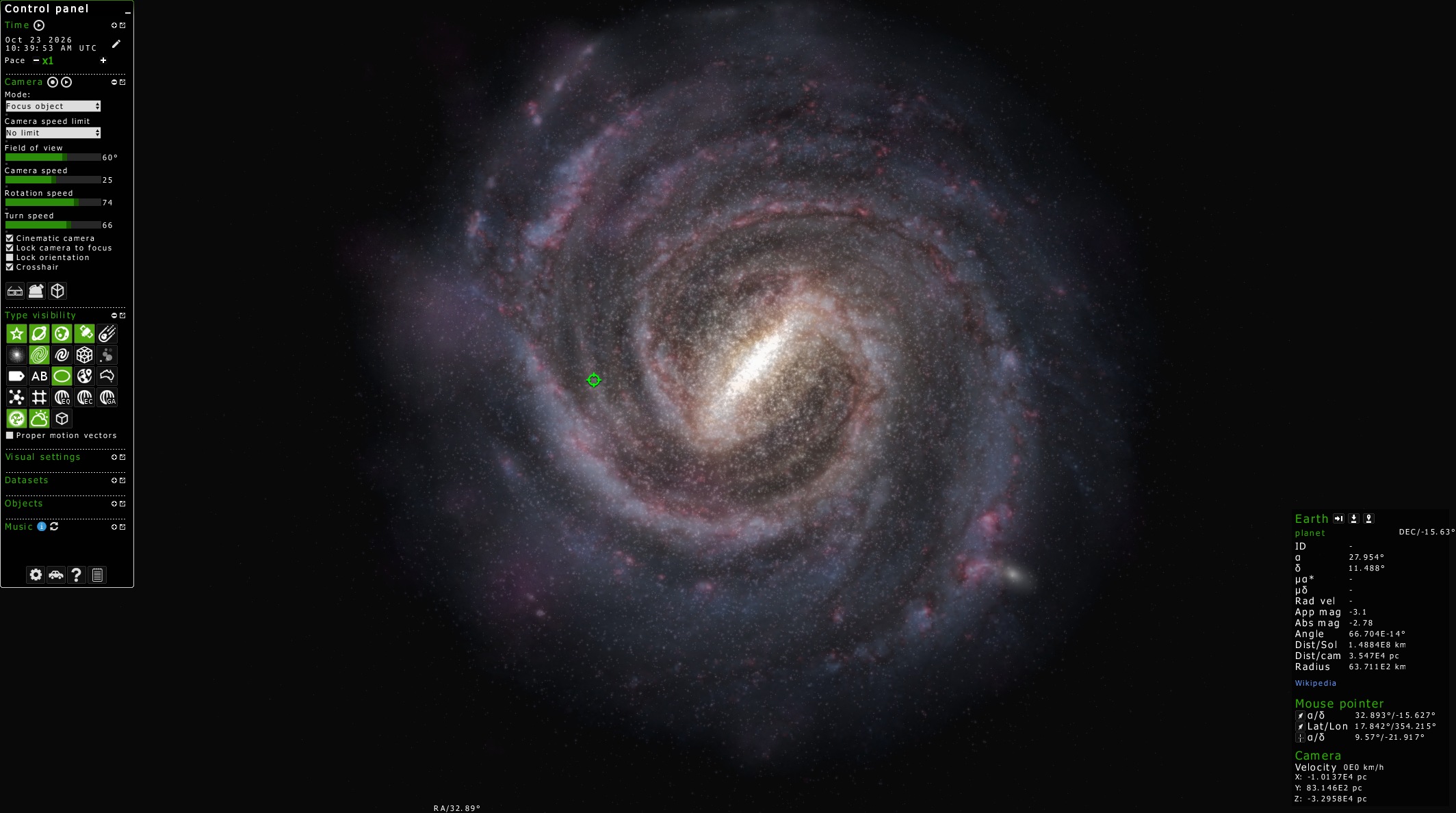
Textured billboard approach — After Gaia DR3 landed in 2022, the catalog data were used by Stefan Payne-Wardenaar2 to produce a high-quality representation of the whole Galaxy3 in Blender. At that time, I worked with Stefan to produce a particle-based version that would fit in the existing billboard systems in Gaia Sky. The first version was based on textured additive billboards and dithered depth buffer occlusion. The depth was correct, but the look of the galaxy was rather cartoonish and unrealistic. Additive blending was used for all channels except the dust, which was purely occlusive in a binary sense (no sorting, so no transparency), making use of dithering to simulate translucency. This version is the one that looks the worst of all. Using textured billboards is a bad move to simulate a volume of gas and dust. Also, the brightness blows out when seen edge-on.
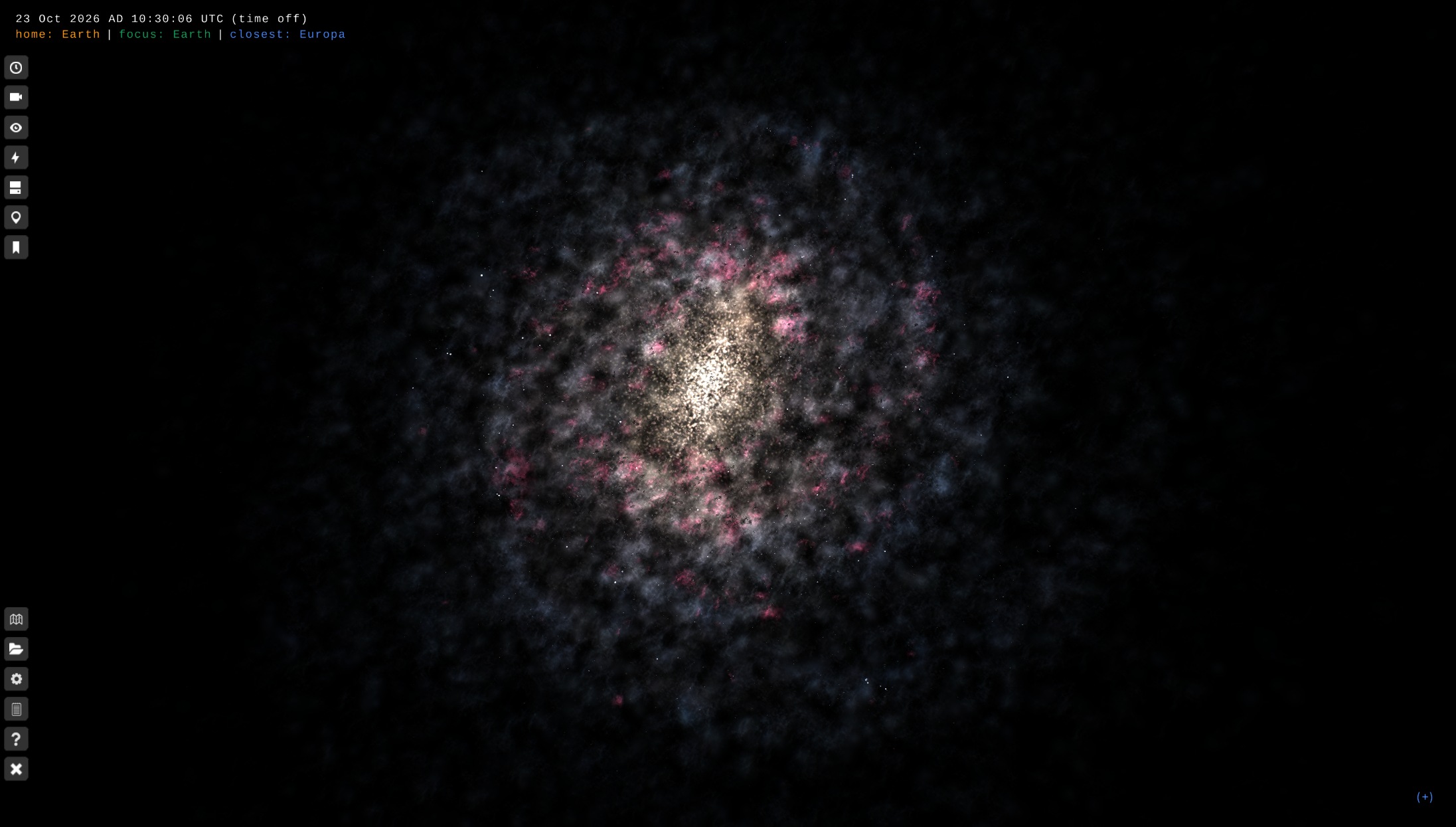
Billboards with additive and subtractive blending — Later on, inspired by this article, the textured billboards were updated to rely on blobs and additive/subtractive blending. The main issue was that the emissive parts blended additively in a very unrealistic way, and the occlusion did not respect the depth order in the scene. Several attempts were made afterwards to implement Weighted Blended Order-Independent Transparency (WBOIT)4, as suggested by the article, but this was very difficult to tune and produced underwhelming results. Looks better than the previous textured-billboards version, but the behavior of light is unrealistic. The brightness is mostly gone when seen from the top, but blows out edge-on due to the additive blending.
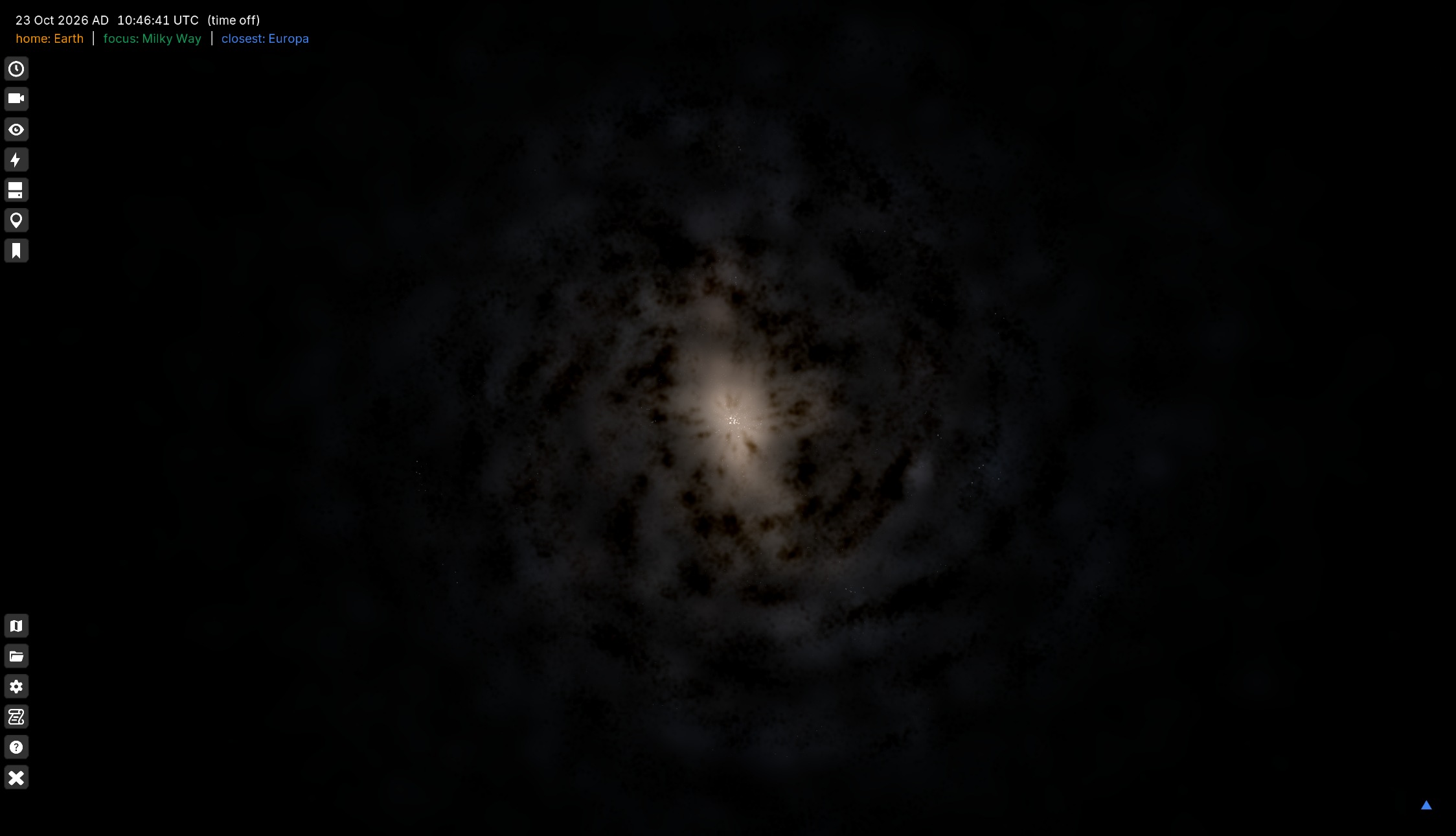
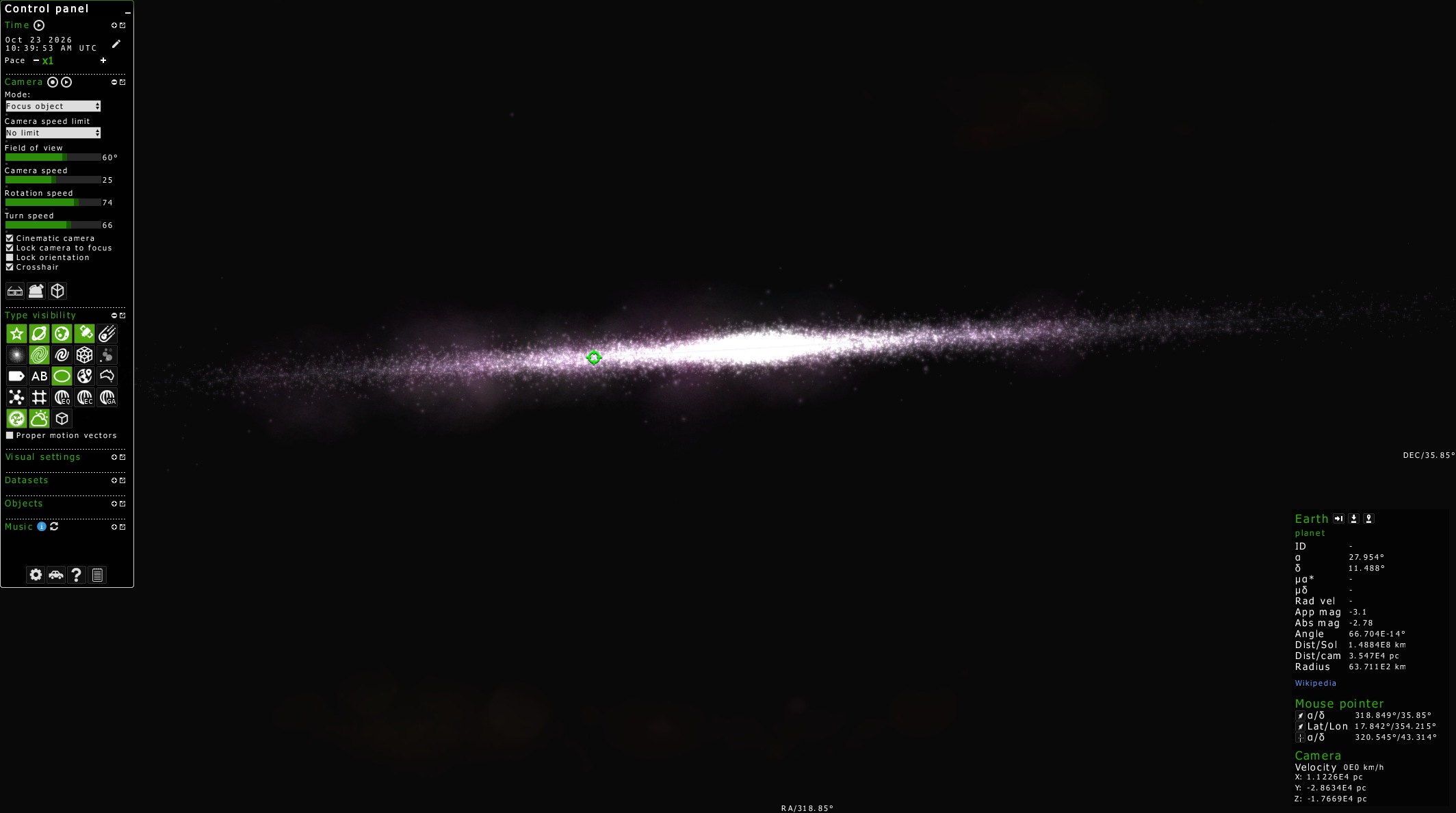
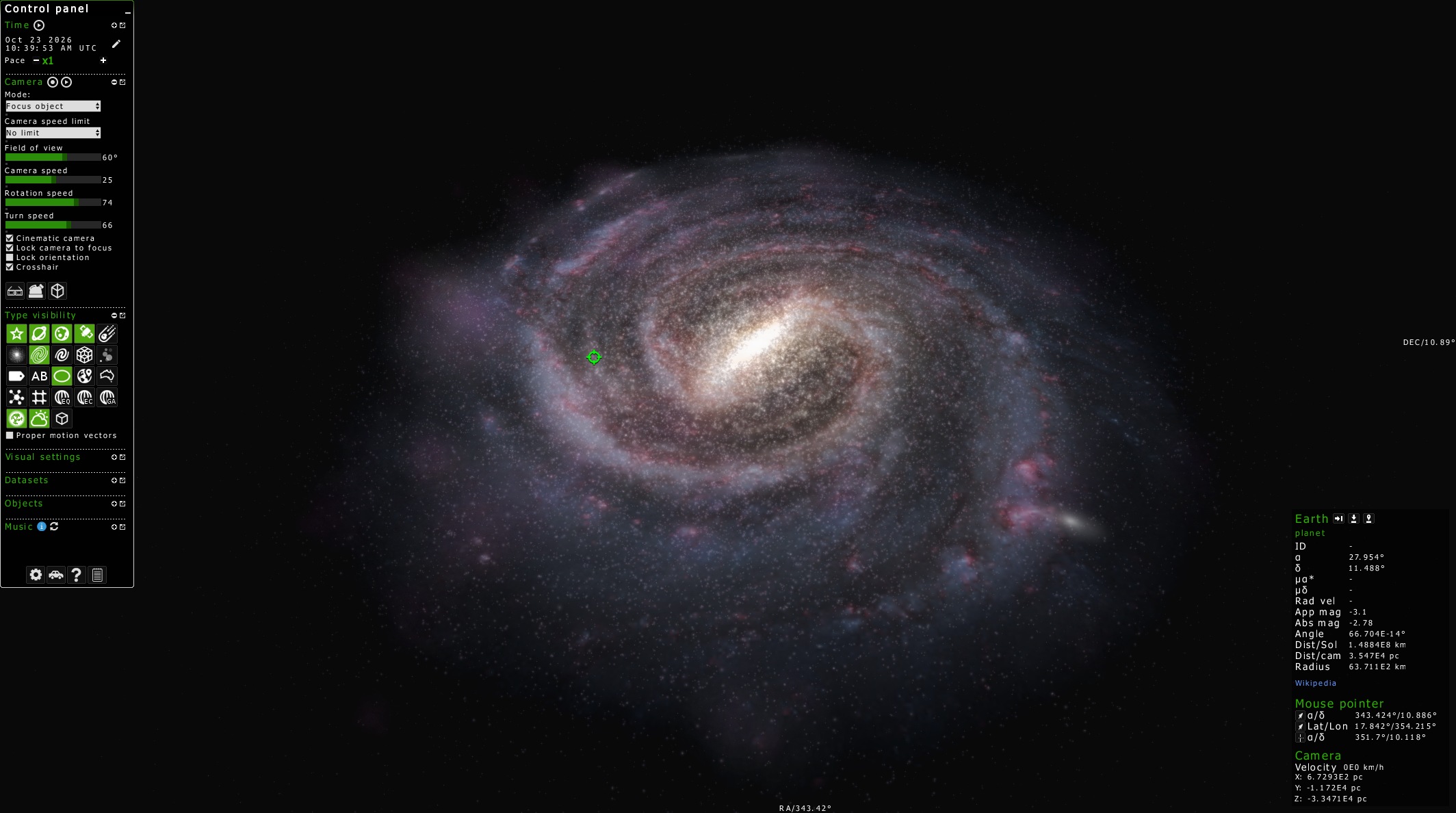
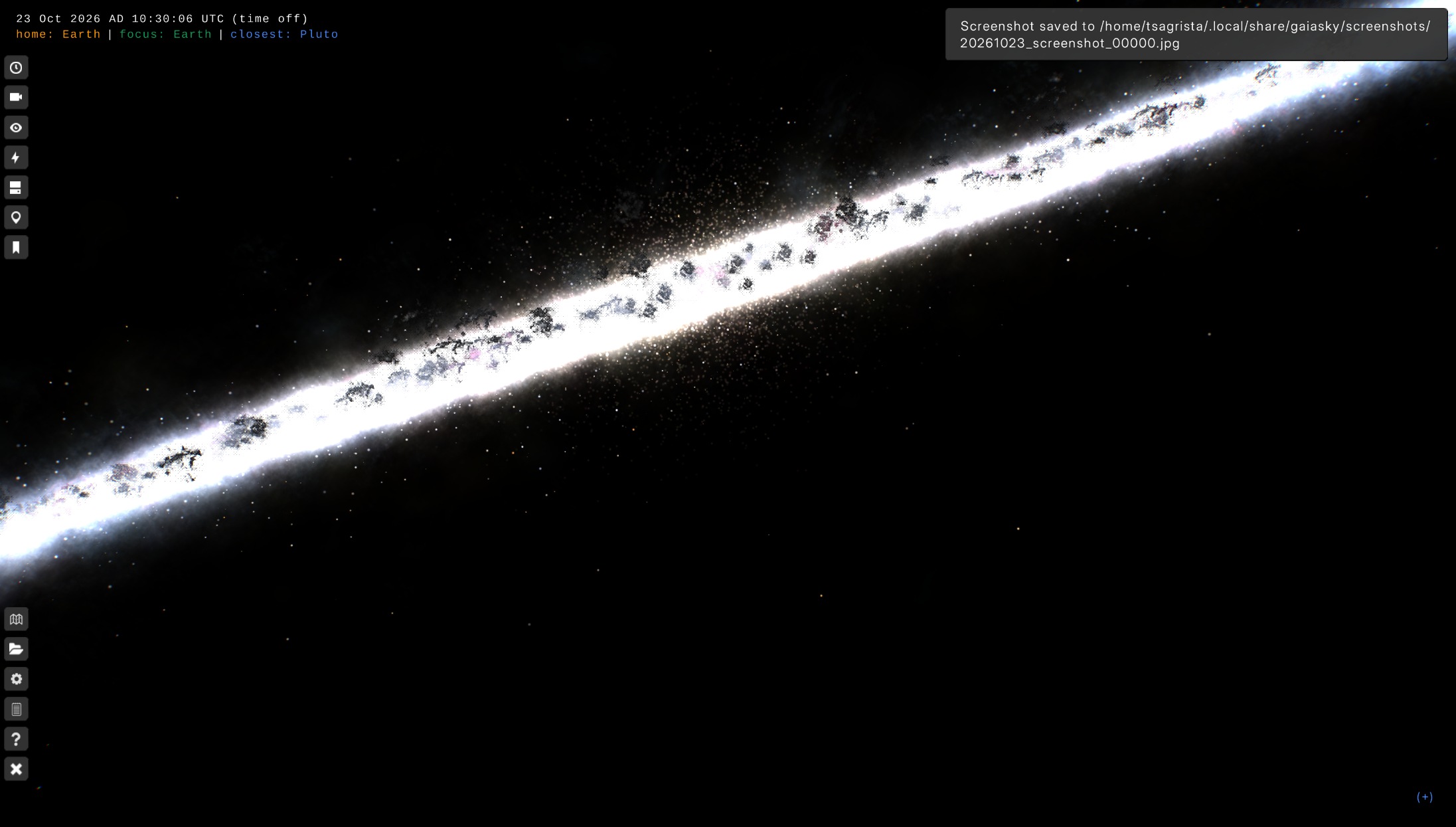
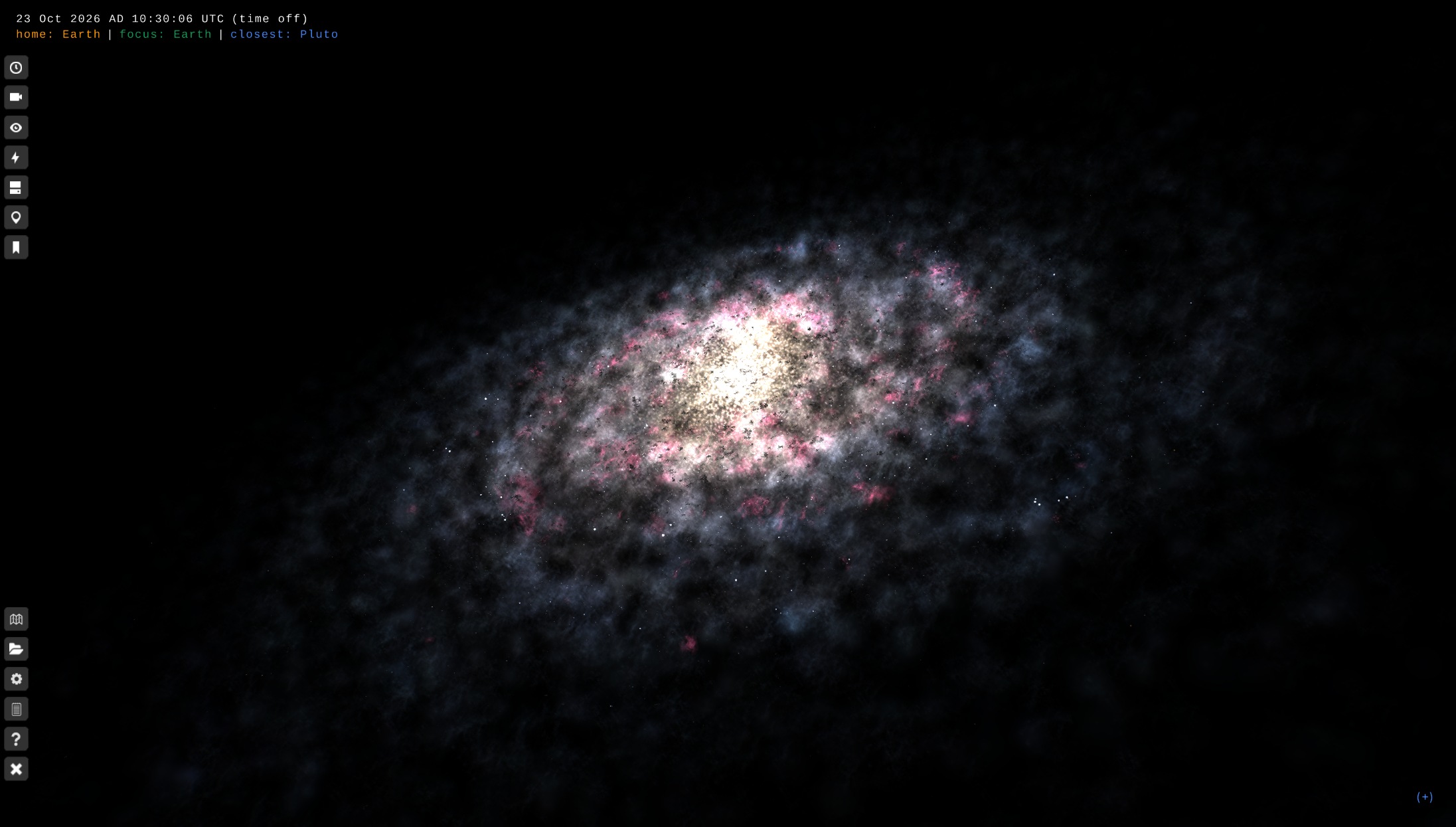
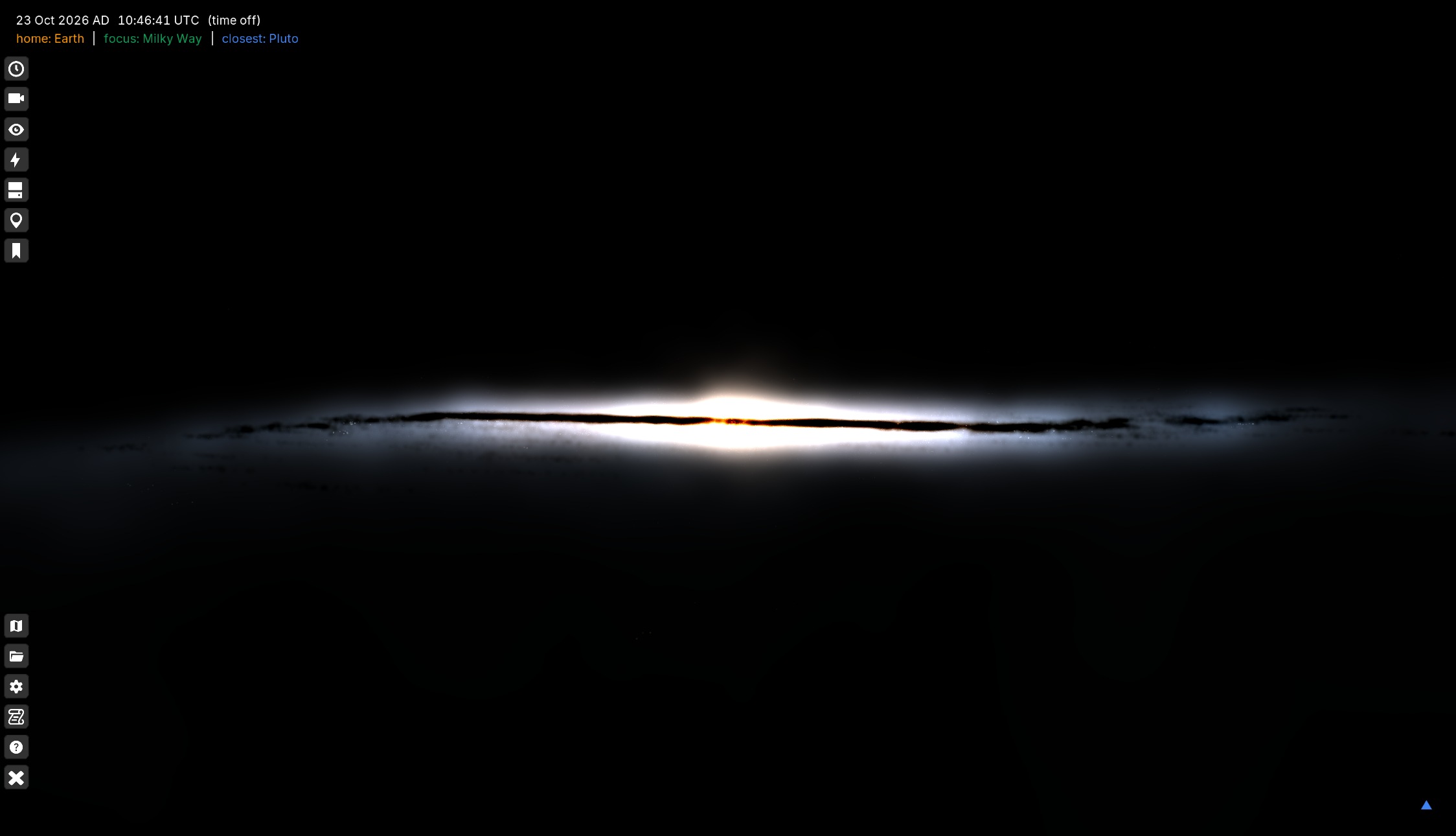
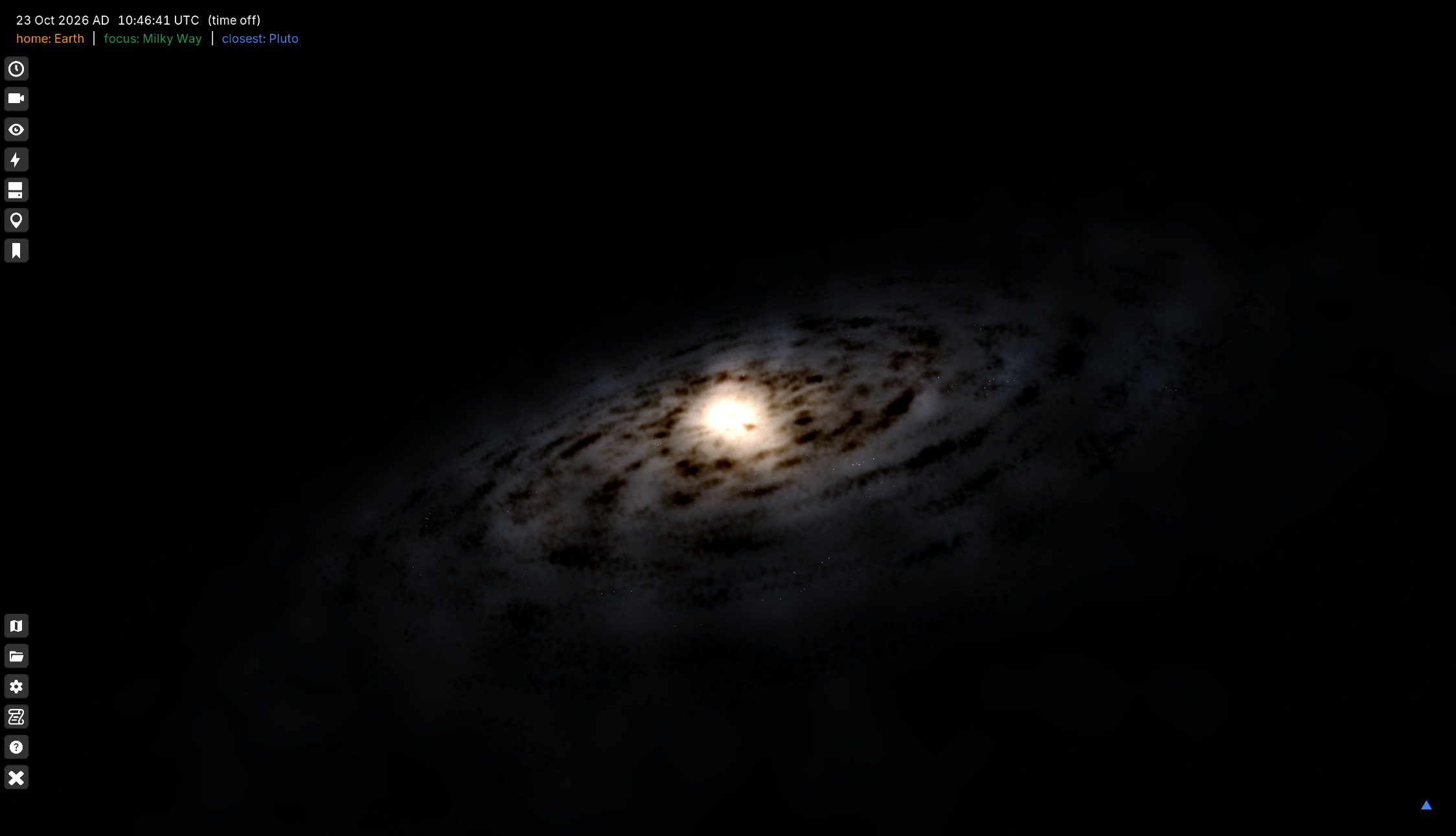
All these issues finally tipped me into seriously consider approaching the project of converting the particle data to a volume and implementing a proper volume renderer with emission and occlusion.
Particles to volume
The first step is to convert the particle data to a volume in the form of a voxel grid. This step is crucial, as it can make or break the whole project. Having a good dataset is the difference between a bland-looking visual and an awesome one.
The source data
The source is the same particle model we were already rendering. It is split into channels, each a gzipped text file with one particle per line:
x y z size r g b
where the position is in galactic coordinates, size is the particle’s weight and r g b is the emission coefficient of the particle, in arbitrary units. The Milky Way is made of three of them: Gas (~15,000 particles), Bulge (~900) and ArmDust (~93,000). The stars and the HII regions of the model are not part of the volume: they are genuinely point-like, so they keep their billboards and a voxel grid would only blur them.
Reading a few hundred thousand lines and painting them into a grid is not hard. What is hard is doing it in a way that does not depend on the resolution of the grid, so that a \(200^{3}\) volume and an \(800^{3}\) volume describe the same galaxy and differ only in how much detail they can hold. Most of the work below exists to enforce that.
Splatting
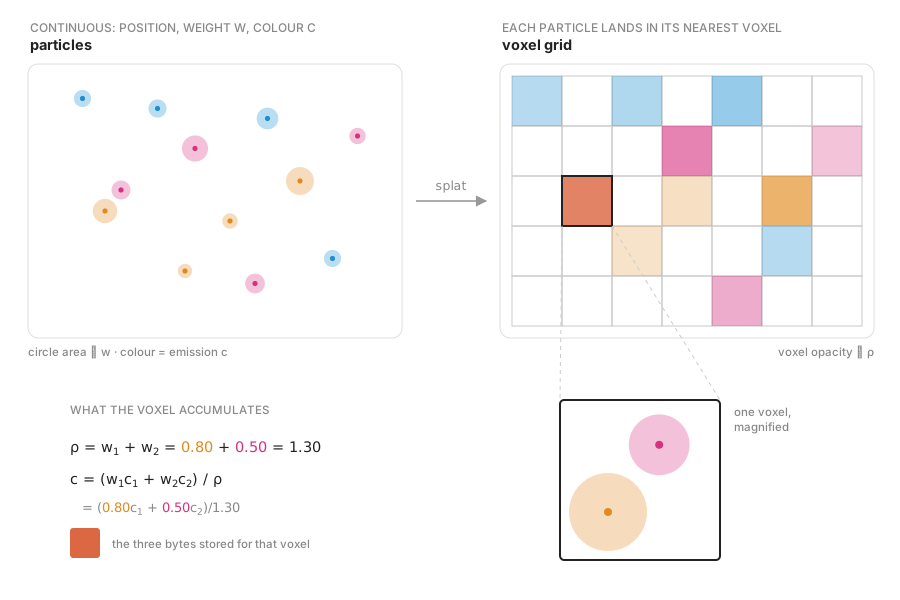
Every particle is a point with no extent, so the first operation is a scatter into the grid: each particle adds its weight to the voxel it falls in. That is the simplest possible splat, and it is what the shipped volumes use. It is also the one that keeps the property above, because a nearest-voxel scatter is the identity of the sampling: the same data always lands in the voxel the same ray will visit.
Splatting
Each particle adds its weight to the voxel it falls in, so a voxel ends up with the summed weight ρ and the weight-averaged color c; here its opacity is drawn proportional to ρ. The magnification shows the arithmetic for a voxel that receives two particles.
There are two details here worth taking into account:
The color accumulates with the same weight as the density, so dividing the accumulated color by the accumulated density yields a size-weighted mean color per voxel. Getting the weights inconsistent here is the classic way to end up with a volume whose large particles dominate the hue.
The grid is galactic but the file is not. Voxels are dumped in C order, like this:
$$ (W, H, D) = gal(X, Z, -Y) $$
This is because of the axis order the shader indexes a 3D texture with. The permutation is written into the metadata, in both orders, precisely so nobody has to infer it.
Smoothing without inventing detail
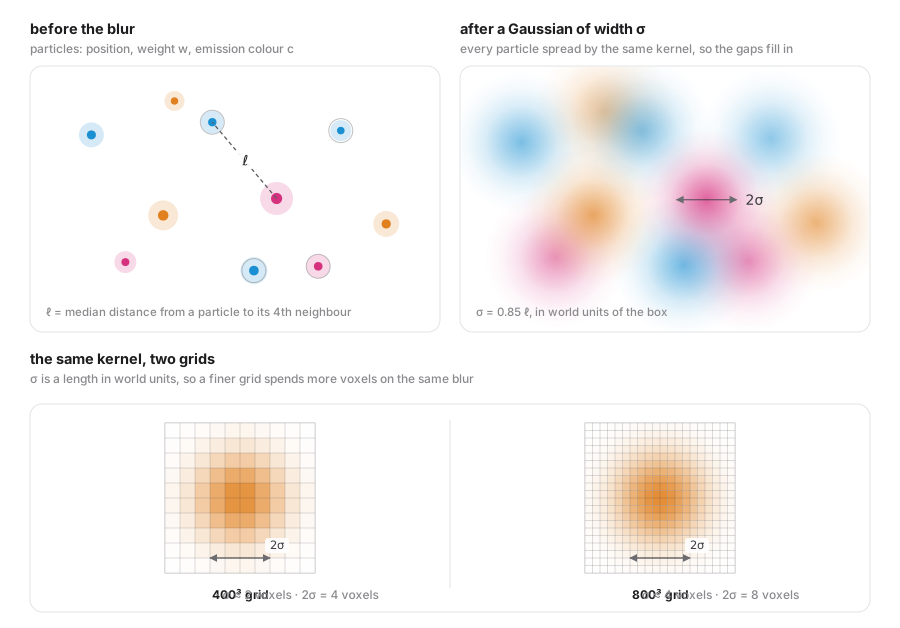
A raw scatter of 15,000 points into a \(400^{3}\) grid is a swarm of dimensionless points, but we need a volume, so every channel is blurred with a Gaussian. The tempting choice, a fixed sigma in voxels, is exactly the one that breaks resolution independence: it smooths more of the galaxy at 200 than at 800, and the same data produces two different objects.
Instead, the blur width is a length on the particles, in world units of the box:
$$ \sigma = 0.85 \times \ell $$
where \(\ell\) is the median distance from a particle to its 4th nearest neighbor — the local inter-particle spacing, not the volume divided by the count. Note that this measure is the same for all particles in a channel, as \(\ell\) is derived from the median. We do not compute a different smoothing for each particle. That value measures the gaps that actually need filling, and it is nearly independent of resolution by construction, since it comes from the particle positions alone. A channel that is denser gets a narrower kernel for free, and the same particles written at 200, 400 and 800 get 4×, 2× and 1× that sigma in voxels, which is the correct behavior.
The 0.85 is empirical. A blur width given by hand in world units, per channel, never generalised; this little proxy held up across channels and resolutions.
Smoothing
The kernel width is a length measured on the particles, σ = 0.85 ℓ with ℓ the median distance to the 4th neighbor, so the same blur is described by twice as many voxels on a grid of twice the resolution. The result is one continuous density field; a fixed sigma in voxels would instead give a \(200^{3}\) volume and an \(800^{3}\) volume two different galaxies.
Two guards keep this sensible:
- A cap at twice the channel’s own half-mass thickness, along galactic Z. Without it, a sparse channel (a few hundred particles whose “local spacing” is an artifact of sparsity) would be blurred into a slab.
- A smoothing scale per channel. Dust uses 0.4×, because a dust lane that is smoothed like the gas stops being a lane and becomes a haze.
The color is blurred with the density kernel, over the unblurred density, so the color spreads exactly as far as the density is about to. Blurring the color separately is how you get colored halos around black voxels.
Color needs normalizing
The particle colors are emission coefficients, not display colors. Gas averages about 0.02, so clipping to [0,1] and multiplying by 255 rounds roughly 82% of the occupied voxels to zero and leaves the whole channel carried by about thirty distinct levels. Quantizing as-is gives a black galaxy.
The fix is a single scalar gain, derived from the 99.9th percentile of the occupied voxels and applied to all three channels identically. One scalar is the important part: the gain preserves the chromaticity of every voxel, so the hue is still the data’s. Per-channel normalization would give each channel the full 0–255 range and wash everything toward gray, which defeats the point of storing a per-voxel color at all. The gain is baked into the bytes, and the shader consumes the stored color as-is.
Density gets the same treatment, by its peak, and is stored in the alpha channel.
Packing and merging
Each channel is written as a raw heap of bytes, gzipped, next to a small text sidecar that declares the grid and the box:
Volume: emissive
Grid size: 399x40x400
Galactic grid (x, y, z): 399x400x40
Volume bounds: [-0.473301, -0.048570, -0.475536] to [0.477213, 0.046252, 0.476845]
Voxel size: 0.00250000 (cubic; the largest box side is 1, in units of the object's size)
The byte count per voxel selects the format (1 byte per voxel is R8 density, 3 is RGB8 color, 4 is RGBA8 color+density) and the loader takes it from the file length, not from the file name. The RGB channels carry the chromaticity, the alpha channel the brightness, and the emitted radiance is the product RGB × A. An occluding volume uses the same layout, with alpha as the normalized density.
The per-channel textures are then merged into two final volumes: one emissive (Gas at 0.7 + Bulge at 0.3) and one occlusive (ArmDust at 0.08). Merging is a post-process on the textures, so it needs neither the particle data nor a re-conversion, but it does have to be careful:
- Densities add. The color is the density-weighted mean over the inputs that carry one, and each input’s baked gain is undone first, so the merge happens in emission space. Otherwise a channel normalized to a different peak would bias the hue of the result.
- The merge verifies alignment (same grid, same box to 1e-3, metadata grid consistent with the file length) rather than assuming it.
- Renormalizing the sum after the merge dims everything: at Gas+Bulge 1/1 the peak lands at 1.36 and the texture is scaled by 0.73. Whether to do it is a decision, not a detail.
Making the box fit the galaxy
A galaxy disk is 6.7 units wide and 0.67 thick, so a cubic box around it is nine tenths empty space: \(400^{3}\) of RGBA is 244 MiB, where the same voxel size laid out as \(400 \times 400 \times 40\) is 24 MiB. A factor of ten, spent on nothing.
The fix is to flatten the grid and the box together, deriving the grid from the data-shaped box: the detail of an \(N^{3}\) grid without the empty axes. Flattening only the grid would make the voxels anisotropic; flattening both keeps them cubic.
Nothing else has to change. It is still one texture and one step count, because the ray-march step \(rayLength \times |rayDir / extent|\) is invariant under a rescale of the box: flattening it does not change how many samples a ray takes.
The volume renderer
Here we go over the galaxy shader, which is in assets/shader/volume.galaxy.fragment.glsl. It is a single-pass ray marcher, but it is drawn twice: once early as a depth-only pre-pass, and once late as the emission pass.
But first, we need a piece of geometry that emits the pixels to the fragment shader were we do the work. Here, anything works, as long as the pixels reach the fragment. Since we need to render the galaxy also from the inside, we use a flipped cube at the position of the model. The transformations for the actual galaxy are done in the fragment shader, so rotating or scaling this box does nothing. It is essentially a vessel to emit pixels.
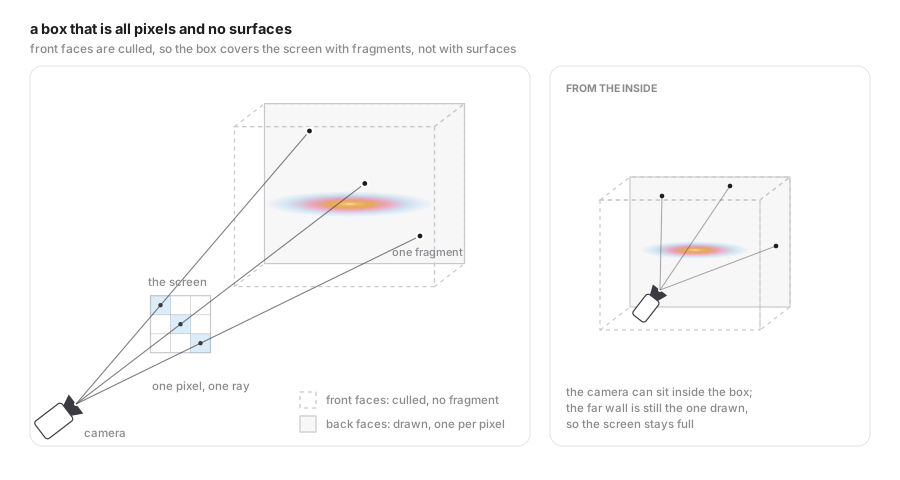
The box
The box is drawn with its front faces culled, so it never shows up as a surface: the ray crosses the near wall and every pixel it covers receives exactly one fragment on the far wall. The shader does not use that fragment as a surface, it only takes its world position as a direction from the camera. Since the near wall is never the one drawn, the camera can also sit inside the box and the screen is still full.
Wait, two passes?
We said we do an early depth pass and the emission pass at the end. Why is that? Well, the volume is rendered with additive blending so its own fragments cannot write a meaningful depth. Adding two semi-transparent layers is commutative; the depth buffer, which keeps a single number per pixel, is not. And the volume cannot be sorted per fragment, so any attempt to give it “the” depth in the color pass is wrong by construction.
But the scene needs it. The stars of the catalog, and the whole rest of the universe, are drawn after the Milky Way volume, and if nothing writes depth they all shine through the dust lanes. A galaxy whose dust hides nothing looks like a galaxy with a bright smudge on it.
So the depth is produced as a separate mask, in its own pass, before anything else is drawn:
| Pass | Group | Color mask | Depth test | Depth write |
|---|---|---|---|---|
MODEL_VERT_GRID | 200 | on | — | clears the buffer |
VOLUME_DEPTH | 250 | off | — | gl_FragDepth only |
POINT_STAR | 300 | on | on | off |
VOLUME | 2110 | on | off | off |
The pre-pass marches each ray only until it finds the first sample that is dense enough to occlude, writes that distance, and returns. The emission pass marches the same ray from the same origin and finds the same front, so both agree on where the dust starts. Stars are switched from “no depth test” to “depth test, no writes”: they are hidden by the dust but cannot overwrite its depth.
At a lower resolution
The volume is not the only thing that is allowed to render small. The volumes of the other galaxies (gas, bulge and dust) go into the same reduced buffer, and so do the nebulae, which are evaluated analytically in their fragment shaders instead of being sampled from a texture. All of them share the property that makes this safe: their content has no detail at the scale of a pixel, so the upscale costs almost nothing visible, while the fill rate they give back is the expensive part of the frame.
The depth is never reduced. Every one of those elements still writes depth at full resolution, in the pre-pass of the table above, and before the scene draws at the reduced scale that depth buffer is blitted onto the reduced one.
That copy is what keeps the reduced pass honest. Everything depth-tested in it, the stars above all, reads the reduced depth buffer, which the full-resolution pre-pass never wrote. Bringing the full-resolution depth down first means those tests see the dust front exactly where the full-resolution pass put it: without it the stars would shine straight through the lanes, and lowering the render scale would change the image instead of only its sharpness.
What “occludes” means
Not every volume should occlude. The gas is emissive, and its faint outermost haze is not opaque: letting it write depth would cut a hard, sharp-edged hole in the star field, perfectly matching the box. The dust, on the other hand, should hide what is behind its lanes.
So each volume slot carries its own density threshold, and only samples above it count as occluding. We define, for every channel, the threshold density above which occlusion happens:
"volumeDepthThreshold": [0.0, 0.015]
0.0 disables occlusion for that slot: the gas renders, and hides nothing. The value for the dust is not arbitrary, it comes from the data. In the dust volume, the low tail of the density histogram is the blur we applied deliberately, not matter, so the threshold is set to keep the lanes and drop the tail. The constant is per texture and has to be re-tuned if the smoothing or the normalization changes.
The march
Both volumes are marched in one loop, at the same position along the ray. That is what makes the ordering correct: a dust lane and a dust glow are the same voxels, and only the order of emission and absorption within the step decides which one you get.
vec3 rayOrigin = transpose(R) * u_cameraPos;         // camera, in the box frame
vec3 rayDir    = normalize(transpose(R) * v_data.fragPosWorld);

vec2 span    = boxIntersection(rayOrigin, rayDir, boundsMin, boundsMax);
float stepUVW = ...;                                 // TARGET_STEP_UVW of the box
int  nSteps  = clamp(int(ceil(pathUVW / stepUVW)), 16, u_iterations);
float jitter = hash12(gl_FragCoord.xy * u_time * 0.1);  // hides the banding

for (int i = 0; i < nSteps; i++) {
    float t = entry + (float(i) + jitter) * stepSize;
    vec3  uvw = worldToVolumeUVW(rayOrigin + rayDir * t, boundsMin, boundsMax);

    // Jump whole bricks that hold no density in either volume.
    float skip = min(emptyBrickSteps(uvwGas, ...), emptyBrickSteps(uvwDust, ...));
    if (skip >= 1.0) { i += int(skip) - 1; continue; }

    vec4 gas  = sampleVolumeRGBA(uvwGas,  u_volume0, u_volume0ColorMode);
    vec4 dust = sampleVolumeRGBA(uvwDust, u_volume1, u_volume1ColorMode);

    // Emission first: light emitted in this step lies in front of this step's dust.
    emitted      += volumeColor(GAS_RAMP, gas.a, gas.rgb, mode) * gas.a * stepUVW * transmittance;
    // Then absorption, Beer-Lambert, only for what is behind it.
    transmittance *= exp(-DUST_SIGMA * dust.a * stepUVWDust);
    if (transmittance < 0.001) break;
}
A few things in there are worth pointing out:
- Empty brick skipping is the single biggest performance win. On load, the voxel grid is reduced to an occupancy grid with one texel per 4×4×4 brick, holding the maximum density of the brick. A zero texel then means every fetch inside that brick would have returned zero: no emission, no extinction, so skipping the whole brick cannot change the image. The shader does one nearest fetch instead of the dozens the brick would have cost, and advances the sample index rather than the step size, so the samples it does take sit on exactly the lattice it would have used anyway. On a galaxy volume, most of the march is empty space.
- The jitter decorrelates neighboring pixels so a step size in UVW does not show as concentric banding.
- The transfer function is \(density \times color \times step\), integrated front to back, with an exposure factor applied at the end. Density is peak-normalized and sparse, so the ramp parameter is \(log_2(1 + 255\cdot d)\). Without the log the whole volume lands in the first ramp stop and the ramp does nothing.
Known limits
Two, both of them consequences of doing the depth in a cheap pre-pass:
- The depth is written at the first sample above the threshold, not where the ray actually becomes optically thick. A thin lane therefore occludes as hard as a thick one.
- The distance is along the ray, while the log depth buffer wants view-space depth. They differ by \(cos \Theta\) away from the view axis, which is exact at the center of the screen and a few percent at the corners.
Neither is visible in practice, and both are one comparison per sample away from being fixed properly.
Infrastructure in Gaia Sky
The renderer is only half of it. The other half is being able to load a volume from a data pack and declare it in a scene, which turned out to be mostly about formats.
A volume object is a regular ModelBody with the Volume archetype, so it accepts sizePc, parent, fadeIn/fadeOut, coordinates and everything else, plus the volume-specific attributes:
{
  "name": "Milky Way (volume)",
  "archetype": "Volume",
  "sizePc": 26000.0,
  "fadeIn": [1.0e3, 7.0e3],
  "fadeOut": [15e4, 60e4],
  "vertexShader": "shader/pbr.vertex.glsl",
  "fragmentShader": "shader/volume.galaxy.fragment.glsl",
  "raymarchIterations": [50, 70, 90, 110],
  "model": {
    "type": "sphere",
    "blendMode": "additive",
    "params": { "diameter": 1.3, "quality": 30 },
    "material": {
      "volume0": "$data/default-data/galaxy/volume/gal*/galaxy_emissive_rgba.raw.gz",
      "volume1": "$data/default-data/galaxy/volume/gal*/galaxy_occlusive_rgba.raw.gz",
      "volumeDepthThreshold": [0.0, 0.015]
    }
  }
}
raymarchIterations has one value per quality preset (low, normal, high, and ultra, adjustable from the settings dialog), so the same scene degrades gracefully on a weak GPU. Up to four volumes can be declared per object, and all of them are marched and composited in the same pass.
The loader (VolumeTextureLoader) does three things worth mentioning:
- It crops. The grid is cut down to the range of voxels that actually hold density, plus one voxel of padding, and the cropped grid is mapped onto the same box. Writing the empty shell into the file costs file size and load time only.
- It builds the occupancy grid described above, and binds it as a separate 3D texture. A slot without one gets a \(1 \times 1 \times 1\) volume of ones, which never skips.
- It derives the format from the bytes, not from the filename: 1, 3 or 4 bytes per voxel, with the grid from the metadata sidecar.
None of this is Milky-Way-specific: any 3D tool that can write an RGBA8 grid can produce a volume for Gaia Sky. The format and the scene attributes are documented in the data format and the volumes section of the Gaia Sky documentation.
Memory is the price: an 800-resolution grid is \(798 \times 80 \times 800\) RGBA, about 200 MB once decompressed, per volume. The default data pack therefore ships three resolutions and picks one by data quality setting: 200, 400 and 800 voxels on the longest side of the box:
| Resolution | Grid (galactic) | Voxels | Raw, per volume | Emissive, gzipped | Occlusive, gzipped |
|---|---|---|---|---|---|
| 200 | 200 × 200 × 20 | 0.8 M | 3.2 MB | 230 KB | 10.6 KB |
| 400 | 399 × 400 × 40 | 6.4 M | 25.5 MB | 1.5 MB | 74.6 KB |
| 800 | 798 × 800 × 80 | 51 M | 204 MB | 8.9 MB | 430 KB |
Thanks to gzip (and to how much of the box is empty) the download cost is trivial; it is the decompressed texture that decides whether a card can hold it.
Results
The question a resolution-independent conversion has to answer is whether the three grids really are the same galaxy. They are: the mean ray integral (the integral of the density along a sample of rays through the volume, the quantity that has to match if the object is the same) is
| Resolution | Mean ray integral |
|---|---|
| 200 | 0.00020193 |
| 400 | 0.00020295 |
| 800 | 0.00020382 |
within 1% of each other, with the same total mass and the same hues, so what changes between them is only detail. And detail is visible: at 200 the dust cannot be smoothed at all (its kernel is 0.31 voxels, so the point cloud shows through), at 400 it is 0.63 voxels, and only at 800 does it reach 1.25 voxels and become a continuous lane. This is why the dust is the channel that decides which resolution you actually want, and why the 800 volume is the one in the preview video below.
Up to 800, the volume costs what the step count says, not what the grid says. Frame time for the Milky Way alone, at QHD (2560x1440) with the camera at about 34.5 kpc above the galactic disk, on an NVIDIA GTX 1070 (driver 580.178.04) on Arch Linux. I deliberately chose to use this very old card instead of my other RTX 5080 because it may be more representative of the graphics computing power present in common household PCs and laptops. Tests have been carried out with only the base dataset loaded.
| Resolution | low (50 steps) | normal (70 steps) | high (90 steps) | ultra (110 steps) |
|---|---|---|---|---|
| 200 | 3.5 ms (285 fps) | 3.8 ms (259 fps) | 4.3 ms (231 fps) | 4.6 ms (216 fps) |
| 400 | 3.4 ms (289 fps) | 3.8 ms (260 fps) | 4.1 ms (239 fps) | 4.5 ms (222 fps) |
| 800 | 4.3 ms (230 fps) | 4.5 ms (220 fps) | 4.7 ms (212 fps) | 5.2 ms (192 fps) |
| 1300 | 5.0 ms (198 fps) | 5.8 ms (172 fps) | 6.2 ms (161 fps) | 6.8 ms (145 fps) |
With that hardware the resolution is almost free: going from 200 to 800, sixty-four times the voxels, costs under a millisecond at every preset (3.5 → 4.3 ms at low, 4.6 → 5.2 at ultra). This is possibly because the ray march is per-pixel and the grid does not change how many steps a ray takes. That is why I also built a 1300 volume, which no shipped dataset uses: 274 times the voxels of 200, for 1.5 to 2.2 ms (3.5 → 5.0 ms at low, 4.6 → 6.8 at ultra). Even at that scale the cost stays far below the voxel count, but it is no longer invisible: 1300 is now the most expensive thing in the table, ahead of the preset.
The step count is also interesting. Current presets are 50 at low against 110 at ultra, and even that only adds 0.9 ms at 800 and 1.8 ms at 1300. The slowest cell in the table is 6.8 ms (1300, ultra) at QHD, 41% of the 16.7 ms a 60 fps frame allows, so even that volume is not limited by frame time on this card.
What the card does pay for is memory. These are the sizes as decompressed and uploaded to VRAM, at 4 bytes per voxel (RGBA8), for the flattened, cropped boxes the loader actually builds:
| Resolution | Grid | Voxels | VRAM |
|---|---|---|---|
| 200 | 200 × 20 × 200 | 0.8 M | 3.2 MB |
| 400 | 400 × 40 × 400 | 6.4 M | 25.6 MB |
| 800 | 798 × 80 × 800 | 51.1 M | 204 MB |
| 1300 | 1300 × 130 × 1300 | 219.7 M | 879 MB |
Even the 1300 volume fits in the 8 GB of a GTX 1070 with room to spare. That is the flattening earning its keep: the same resolution in a cubic box would be 8.8 GB, so the high-resolution row could not have been run at all.
The stills below are where the argument becomes visible, each pair sharing a camera. The top view is where the billboards fall short, and for a reason that is easy to get backwards: seen face-on, so few billboards overlap along the line of sight that there is almost no galaxy left.
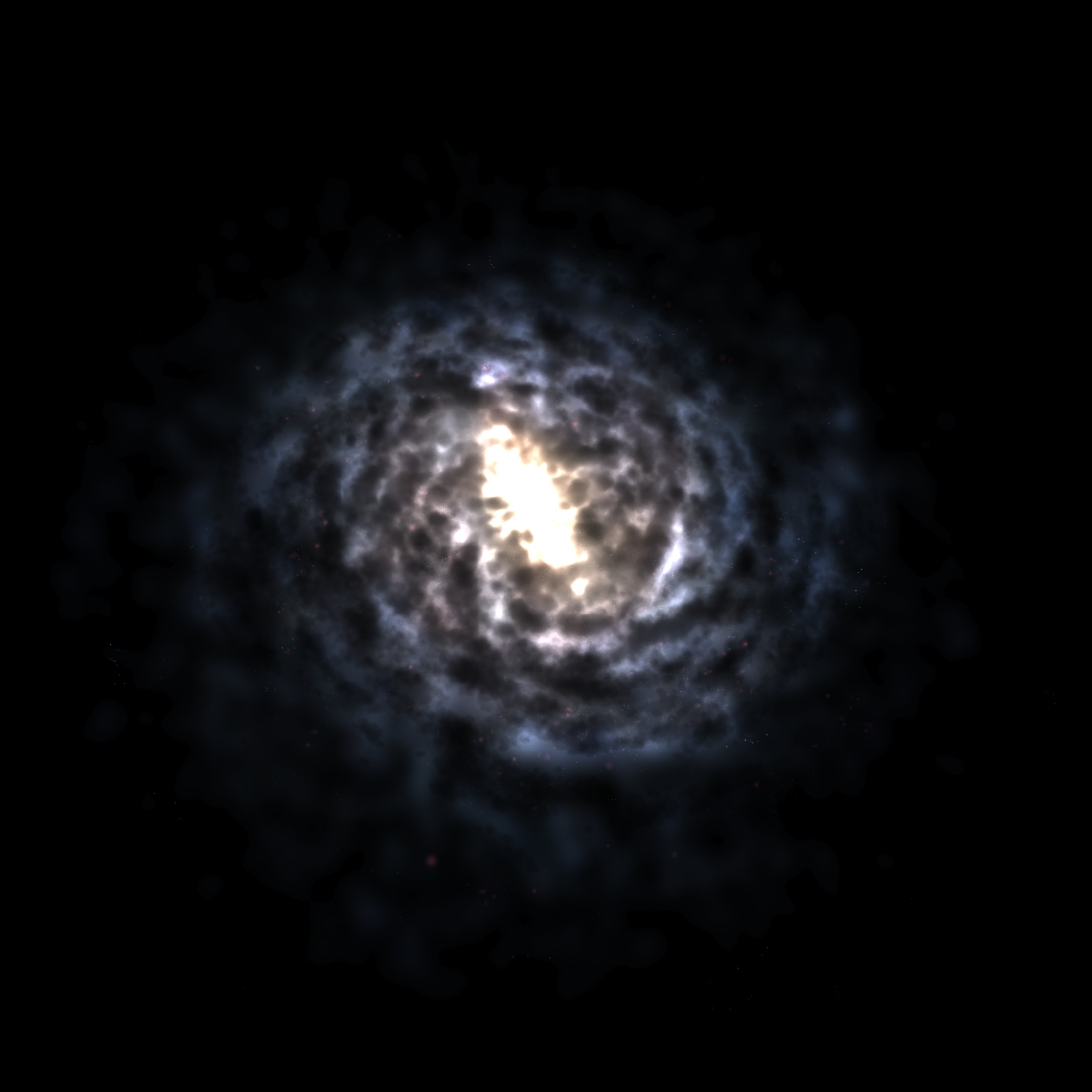
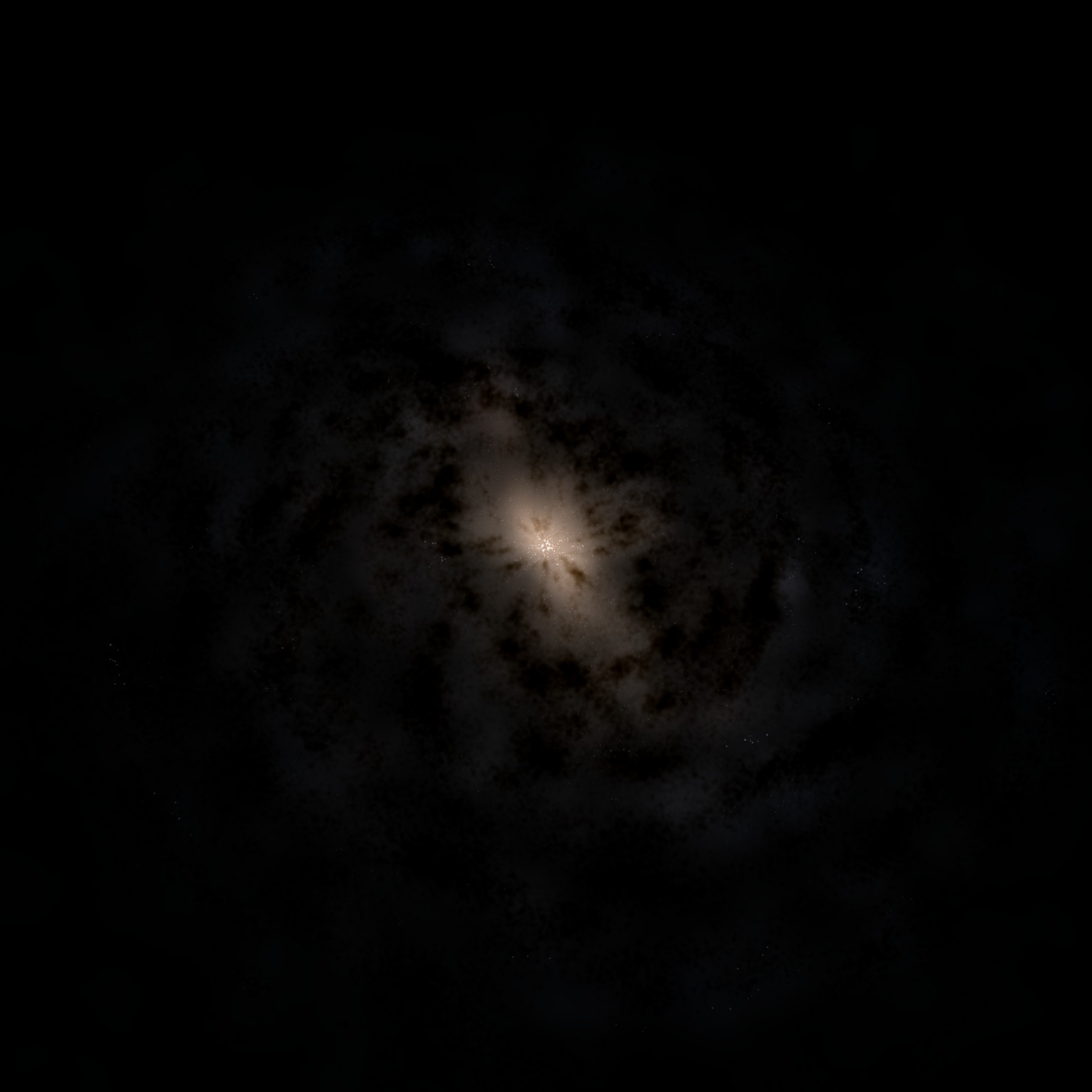 Billboards, 3.8.x
Top view comparison between rendering methods
Top view. With so few billboards along the line of sight the galaxy almost disappears; the volume still shows the disk and its dust lanes. Volume at 800 resolution.
Edge-on, the billboards look plausible at first glance, but they blow out, while the volume rendering stays consistent. The same additive blending that was too faint from the top saturates here: the bulge becomes a flat white patch and the disk loses its internal structure. The volume stays a thin dark lane with its dust intact. It is also dimmer overall, which is expected, because there the light is absorbed rather than added.
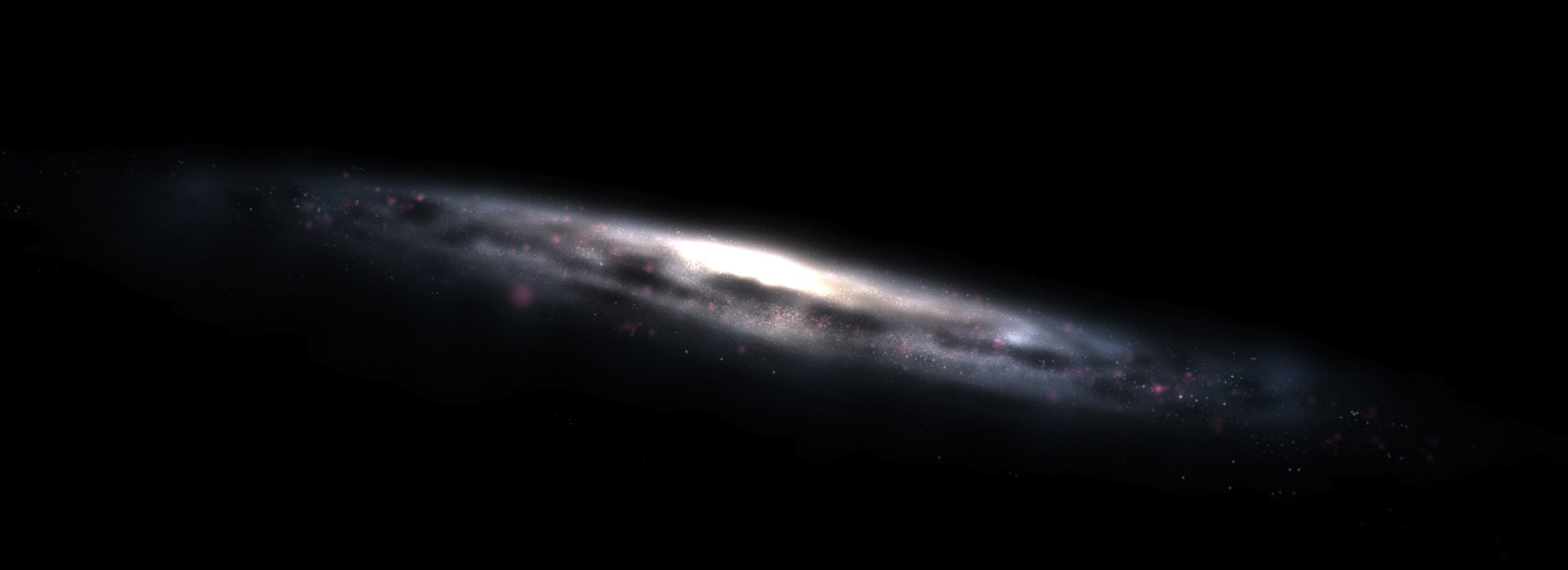
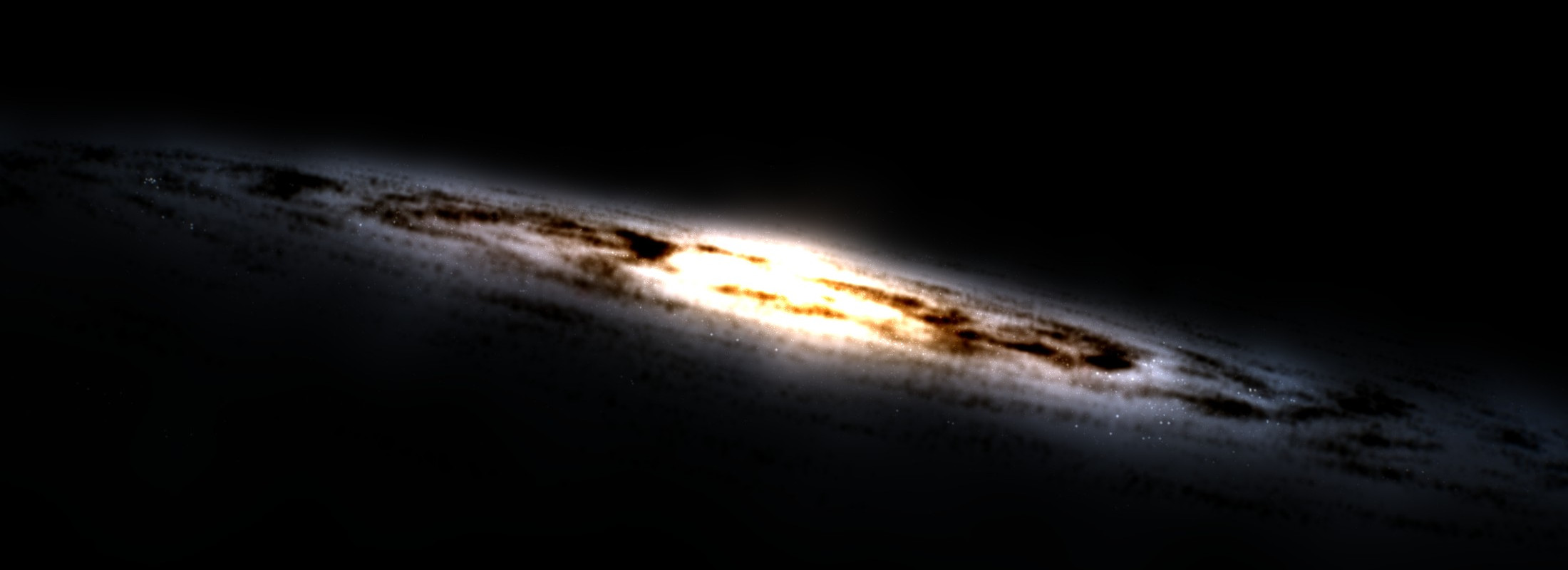 Billboards, 3.8.x
Edge view comparison between rendering methods
Edge view. The billboards saturate, the volume does not. Volume at 800 resolution.
Dust is where the grid resolution shows. Three close-ups of the same lane, same camera, 110 iterations each:
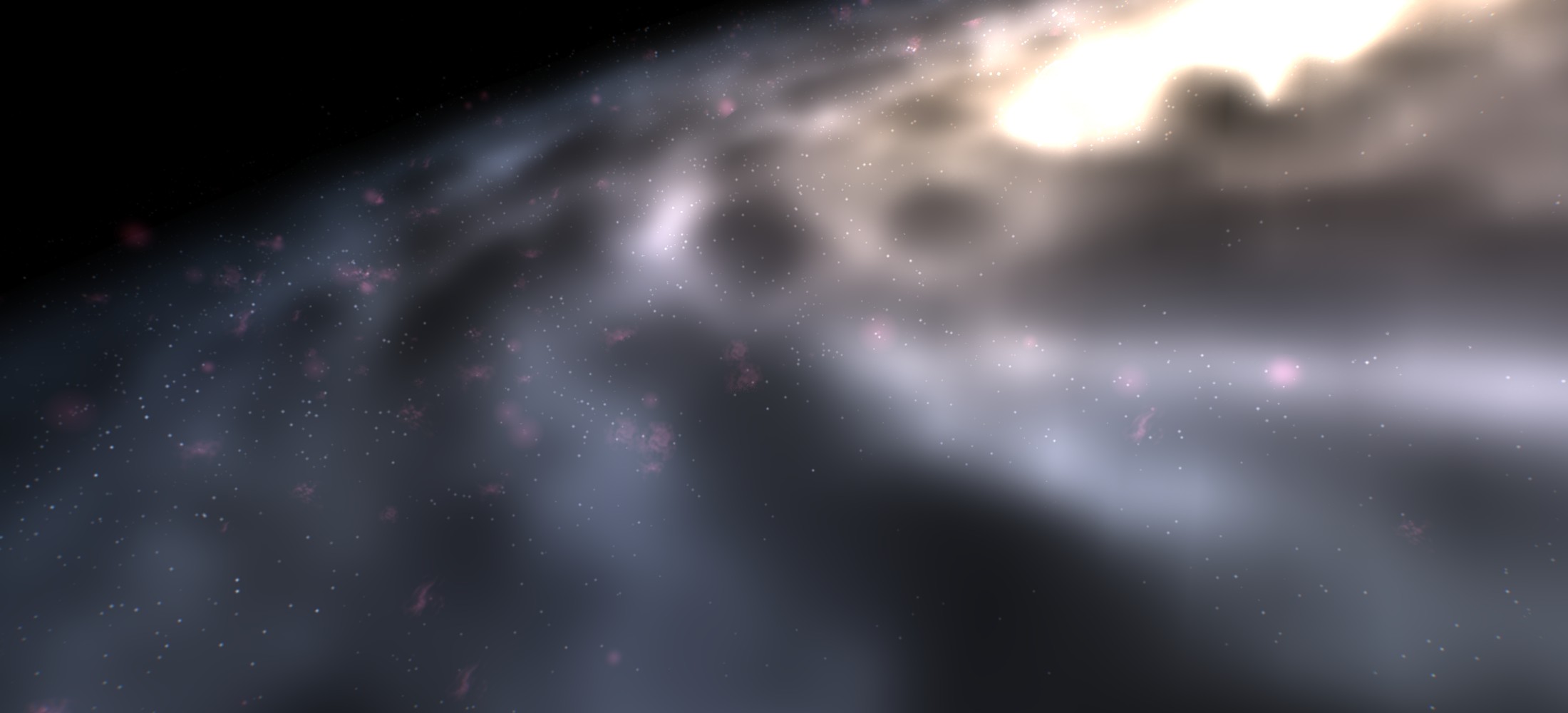
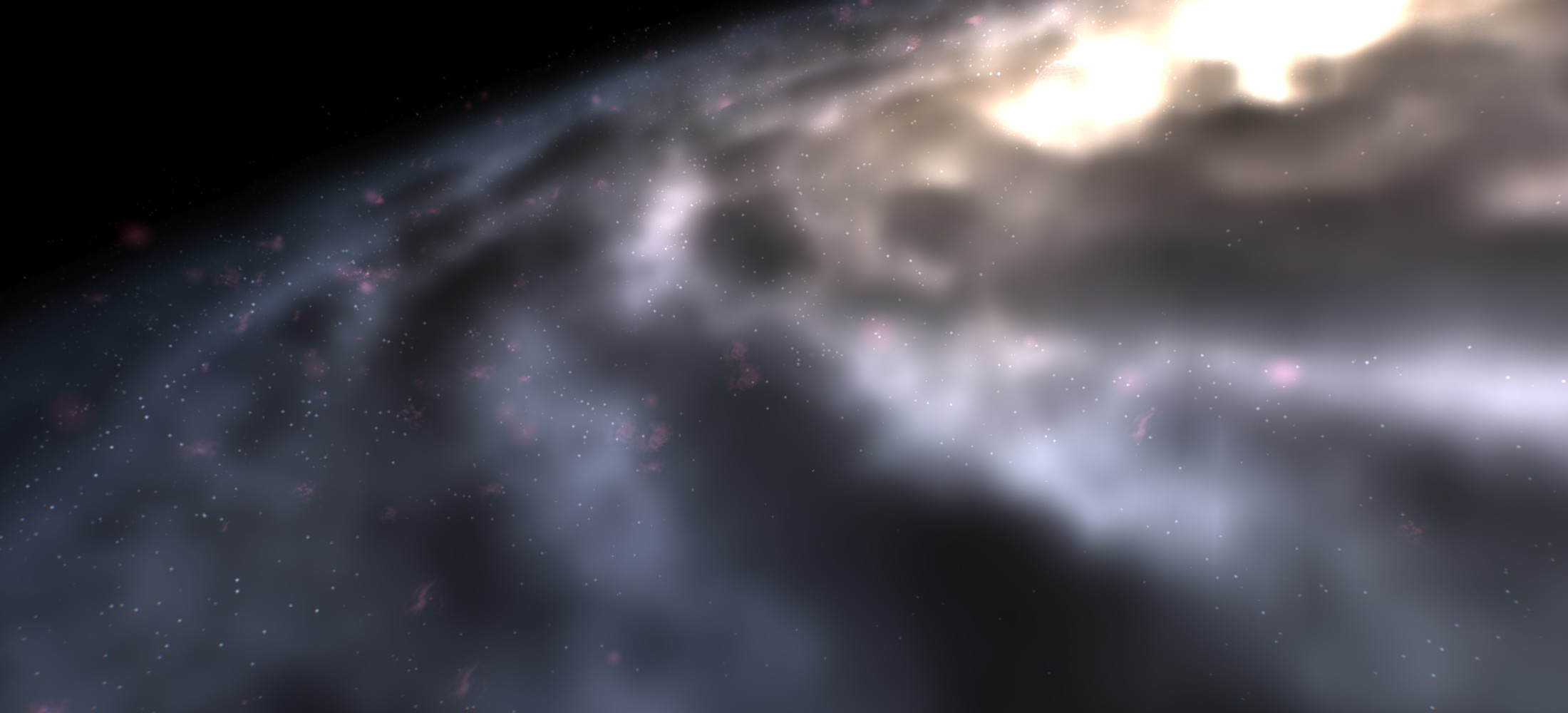
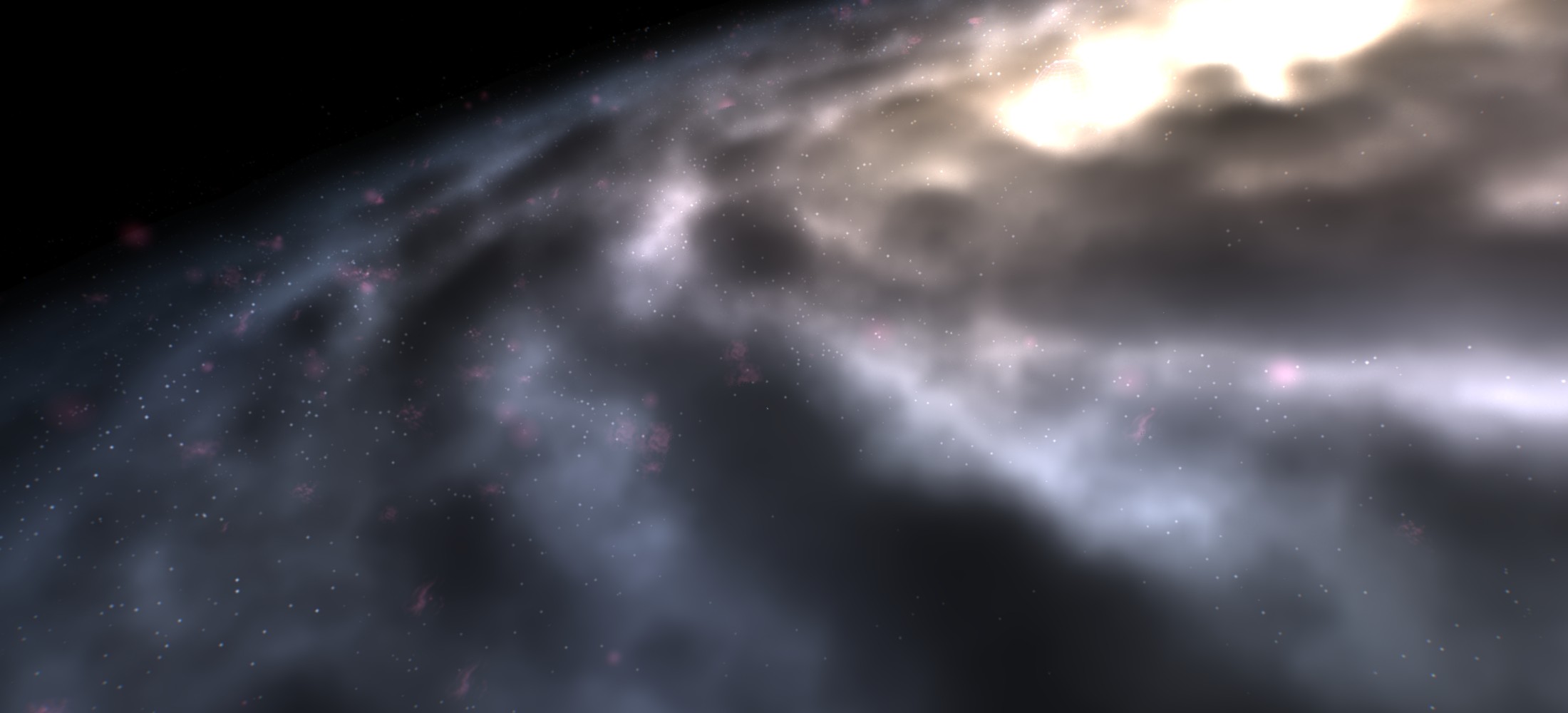
Dust lanes at three grid resolutions
The same close-up at 200, 400 and 800, 110 iterations. At 200 the fog is grainy, because the dust kernel is thinner than a voxel and the point cloud shows through. 400 is already smooth and 800 is smoother still, but the two are hard to tell apart at this framing. The stars and HII regions look the same in all three: they are billboards and never go through the grid.
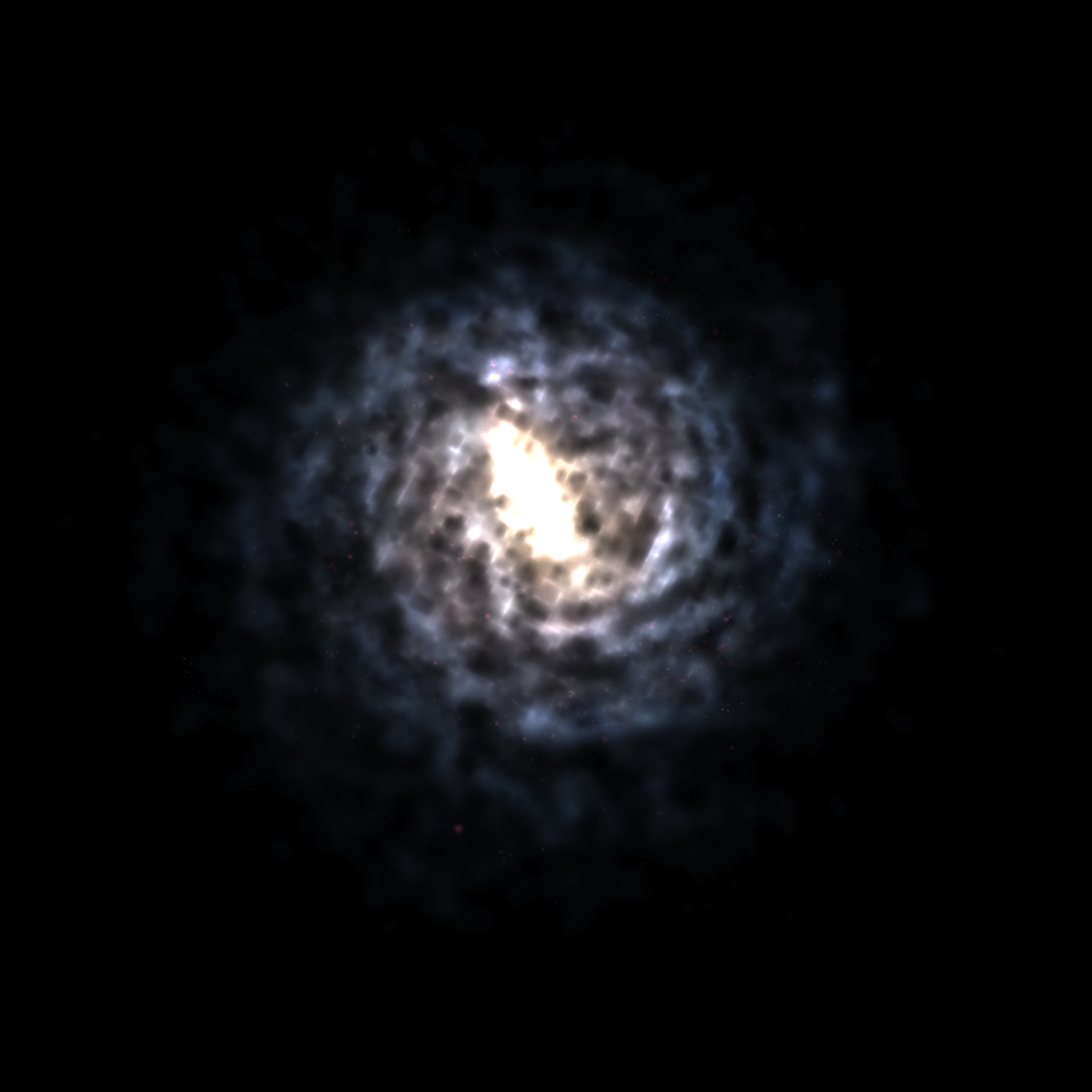
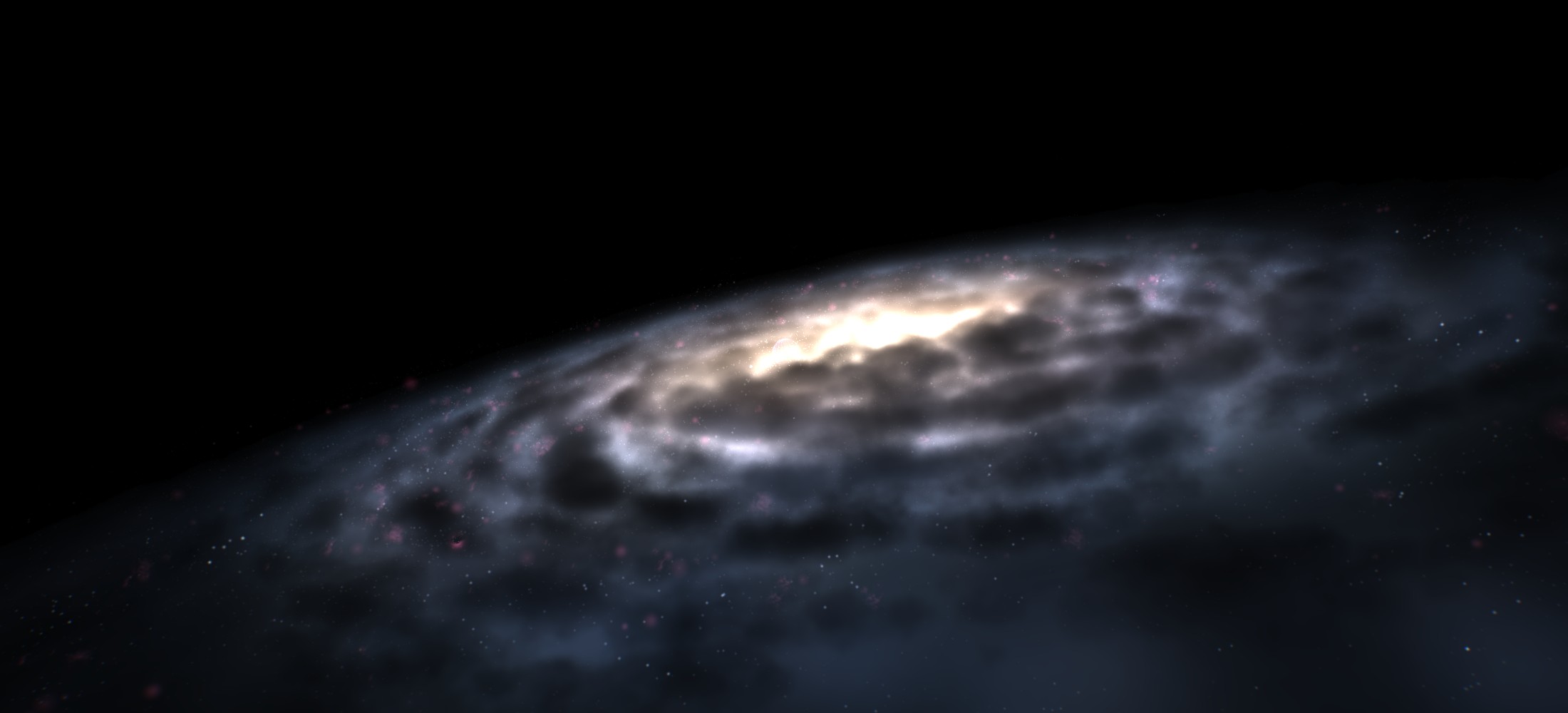
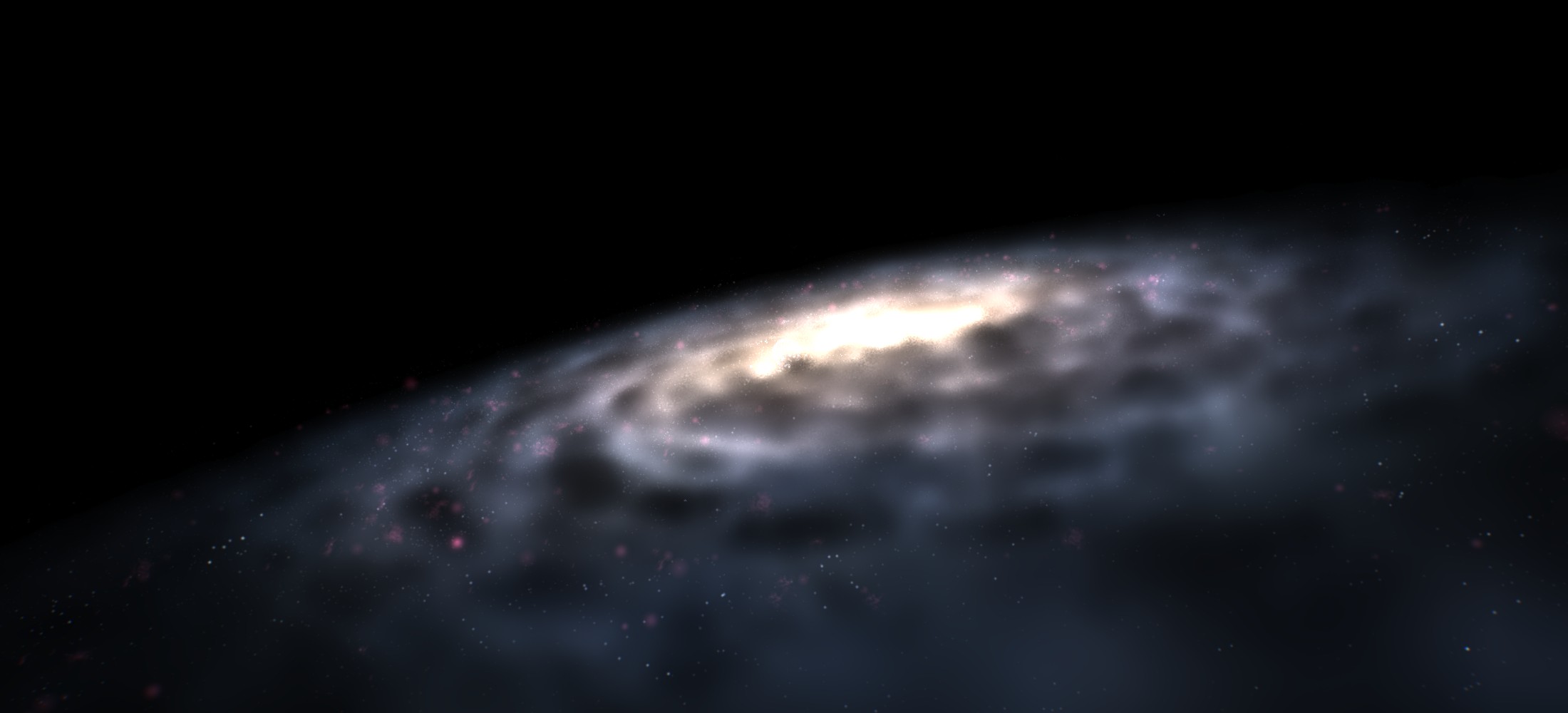
The last comparison is the two ends of the preset range. Low is the 200 grid and 50 steps, ultra is the 800 grid and 110 steps, so both knobs move at once and this pair shows the worst case rather than the effect of either one alone.
The low preset versus the ultra preset, top view. The low preset versus the ultra preset, from inside the disk, looking at the galactic center. Low uses the 200 galaxy resolution and 50 iterations. Ultra uses the 800 galaxy resolution and 110 iterations.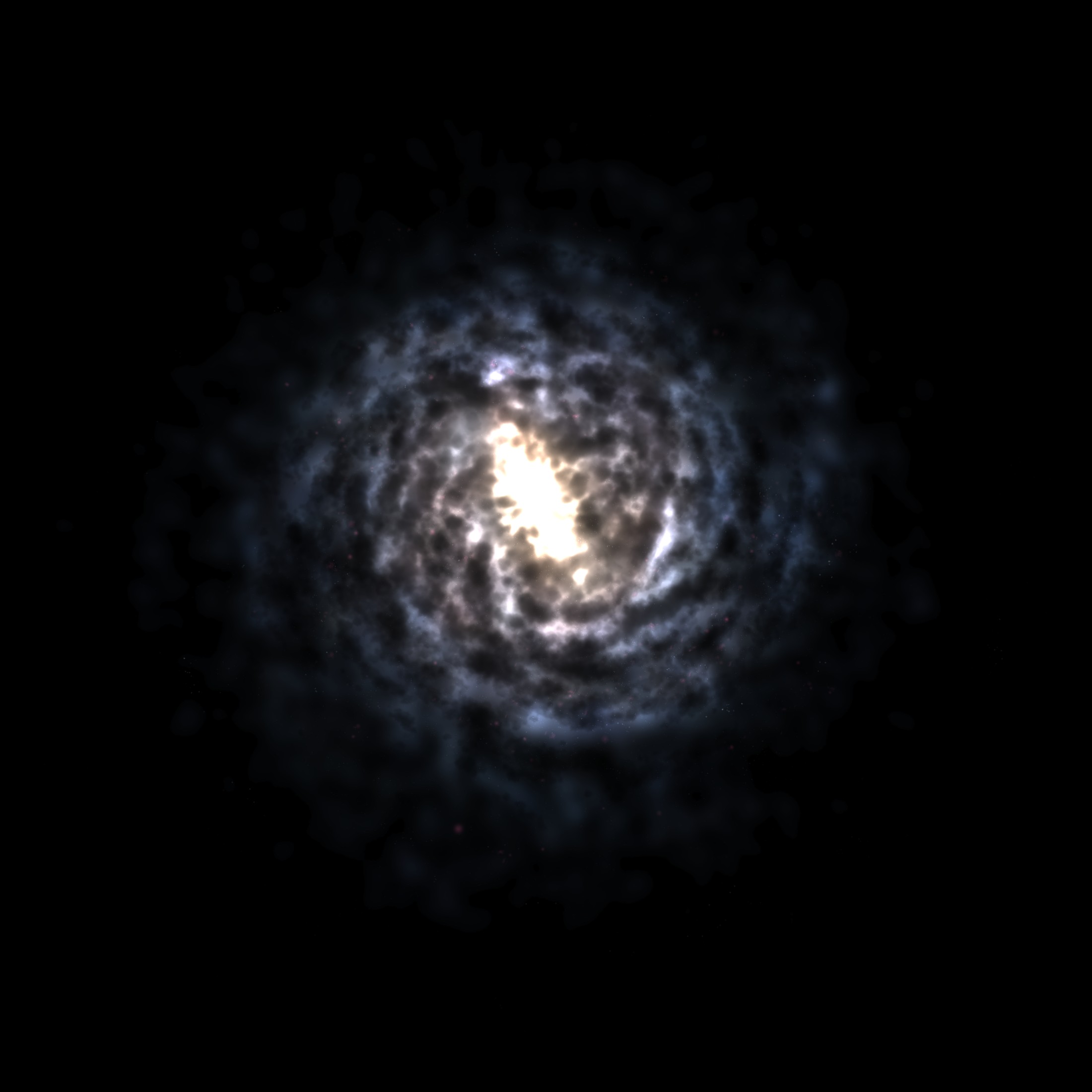
 Preset: low
Top view preset comparison
 Preset: low
Preset comparison from inside the disk
Against ultra, the low preset is softer and hazier, and the dust has less contrast. That is intended: low is meant for modest hardware, and it still looks decent there.
Below is a video I captured with the 800 galaxy running in Gaia Sky.
Volumetric Milky Way rendering in Gaia Sky
Credits: The Gaia Sky Project, ESA/Gaia/DPAC.
Conclusion
For a decade the Milky Way in Gaia Sky was a compromise between what the data said and what a rasterizer could do with a pile of billboards. The volume rendering path fixes this: the galaxy is now a medium that emits and absorbs. The dust lanes hide the stars behind them and not the ones in front, and it no longer blows out or fades to nothing depending on where the camera is.
Two things made it work, and neither of them is in the shader itself. The first is the conversion: sizing the blur on the particles rather than on the grid is what makes all resolutions the same object at different levels of detail. Flattening the box to the shape of the data makes real savings in memory (256 vs 25 MB for the \(400^{3}\) box). This is what lets the unshipped 1300 grid fit in the 8 GB of a GTX 1070 and still draw a frame in under 7 ms. The second is the depth pre-pass: a volume cannot write meaningful depth in a blended pass. The rest of the scene has to know where the dust is, so the cheap early pass does the trick here.
So far, all this work only affects one galaxy: our own. Gaia Sky can already generate galaxies procedurally, but in 3.9.0+ that system still produces billboard particles. The next step is to adapt it to produce and render volumes. Other than that, what is left are smaller fixes rather than architecture:
- Sizing the ray-march step from the grid resolution instead of the box, so a finer grid is actually sampled finer.
- Replacing the time-hashed jitter with a static one (the current float32 clock dies after about ten hours of uptime).
- Enabling scattering in the dust, which is already wired with a coefficient of zero.
- Tuning the occlusion threshold, which is currently a single constant for the whole volume and would probably be better as a curve.
Finally, all this work has been done assuming we start from a particle-based distribution, which is a weird place to start for such a project. Typically, one builds the volume from scratch via analytical distributions without going through a particle dataset. For DR4, due on December 2, we will build a volume directly from Stefan’s data, bypassing the particles altogether.
Astronomy Picture of the Day: Here comes the Sun
https://science.nasa.gov/image-article/apod-2016-september-26-gaia-here-comes-the-sun/ ↩︎
Stefan Payne-Wardenaar BlueSky profile
Gaia’s Milky Way map
Morgan McGuire and Louis Bavoil, Weighted Blended Order-Independent Transparency, Journal of Computer Graphics Techniques (JCGT), vol. 2, no. 2, 122-141, 2013.
Available online: http://jcgt.org/published/0002/02/09/ ↩︎